OpenClaw (Cloud Compute)
Environment Requirements
- Platform: Linux RISC-V 64
- Node.js: >= 22.12.0
- Package manager: pnpm 10.23.0
- Hardware: SpacemiT K1 or K3 development board
Platform Support
| Platform & OS | Supported |
|---|---|
| K1 Buildroot | ❌ No |
| K1 OpenHarmony | ❌ No |
| K1 Bianbu LXQT/GNOME | ✅ Yes |
| K3 Buildroot | ❌ No |
| K3 OpenHarmony | ❌ No |
| K3 Bianbu LXQT/GNOME | ✅ Yes |
OpenClaw Installation for General Users
1. Install nvm for Node.js Version Management
wget -qO- https://raw.githubusercontent.com/nvm-sh/nvm/v0.40.3/install.sh | bash
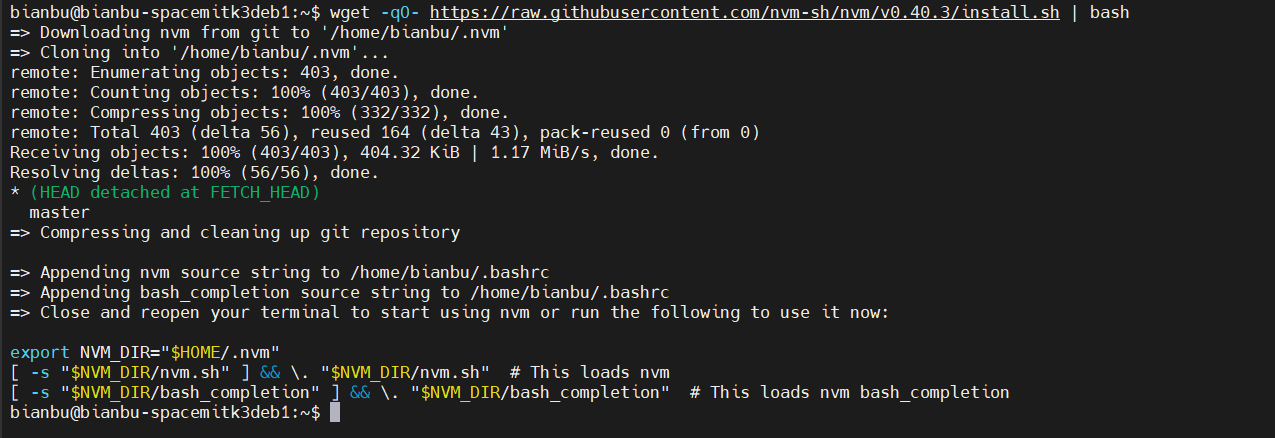
If nvm cannot be found, run the following commands:
export NVM_DIR="$HOME/.nvm"
[ -s "$NVM_DIR/nvm.sh" ] && \. "$NVM_DIR/nvm.sh"  # This loads nvm
[ -s "$NVM_DIR/bash_completion" ] && \. "$NVM_DIR/bash_completion"
source ~/.bashrc
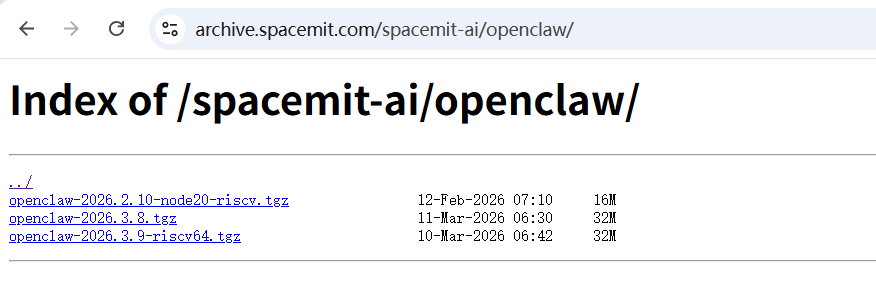
2. Download the npm Installation Package (Optional)
If you plan to install from npmjs.com, you do not need to download the installation package separately.
Download the package here: npm package
3. Install Node.js 22
For the K3 development board:
NVM_NODEJS_ORG_MIRROR=https://archive.spacemit.com/nodejs/k3 nvm install 22
For the K1 development board:
NVM_NODEJS_ORG_MIRROR=https://archive.spacemit.com/nodejs/k1 nvm install 22
Then run:
nvm use 22
4. Install OpenClaw
Two OpenClaw Installation Methods
To install OpenClaw from the npm registry, run:
npm i -g --legacy-peer-deps @dengxifeng/openclaw --force --registry=https://registry.npmjs.org/
To install it from the downloaded npm package, run:
npm install -g --legacy-peer-deps ./openclaw-2026.3.8.1.tgz
5. Configure OpenClaw
Run the following command to start the configuration process:
openclaw onboard
After installation, proceed with the OpenClaw configuration. The following example uses the Kimi model.
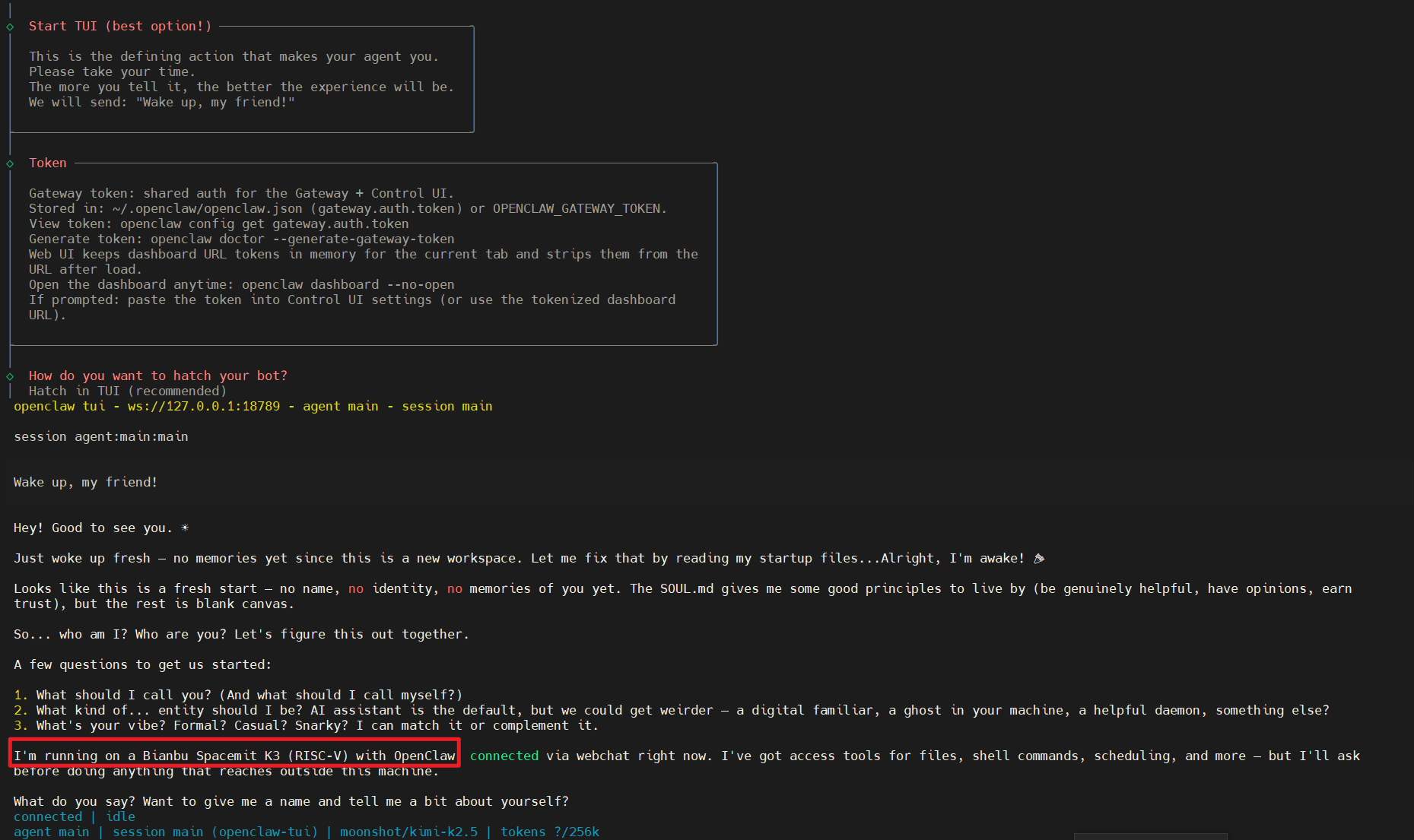
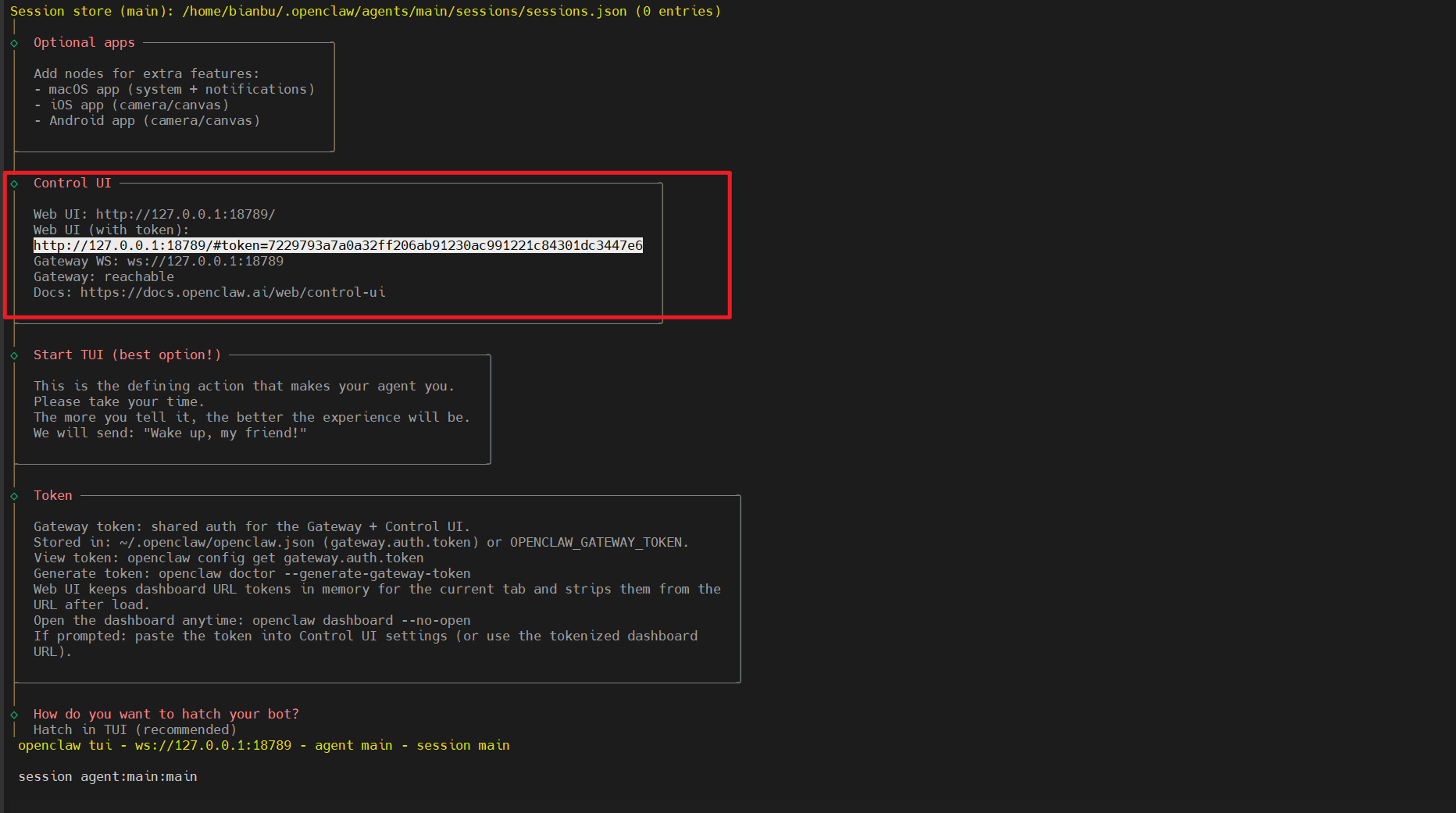
After the configuration is complete, the terminal outputs a local access URL containing a token, for example:
http://127.0.0.1:18789/#token=7229793a7a0a32ff206ab91230ac991221c84301dc3447e6
Open this link in a browser to access the OpenClaw Web UI.
The token is the value shown in the URL printed by the console after the configuration process completes.
Build, Install, and Redevelop OpenClaw for Developers
Code Repository
https://github.com/SpaceX-mit/openclaw-riscv64
Guides
https://github.com/SpaceX-mit/openclaw-riscv64/blob/main/BUILD_RUN_GUIDE.md
https://github.com/SpaceX-mit/openclaw-riscv64/blob/main/PACKAGE_BUILD_COMPLETE.md