UART
Introduction
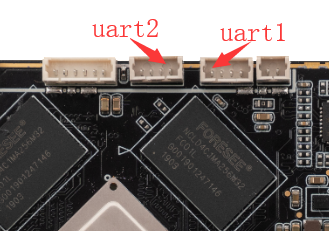
Face-RK3399 is equipped with three extended serial ports: UART1, UART2, RS485. Each UART has a 256 byte FIFO buffer for data reception and transmission:
- UART1 and UART2 is TTL interface, RS485 is RS485 interface.
- Uart1 and UART2 supports a maximum baud rate of 691200. RS485 is generally only supported below 115200 under the influence of communication media.
- Each sub channel has an independent 256 byte FIFO, and the interrupt of FIFO can be programmed according to the user’s requirements.
- With sub serial port to receive FIFO timeout interrupt.
- Support start bit error detection.
- The RS485 port can be reused as the Wiegand protocol port
The nodes on the software corresponding to the device interface are respectively:
RS485: /dev/ttyS4
UART2: /dev/ttyS0
UART1: /dev/ttyS3
The serial of Face-RK3399 is as follow:
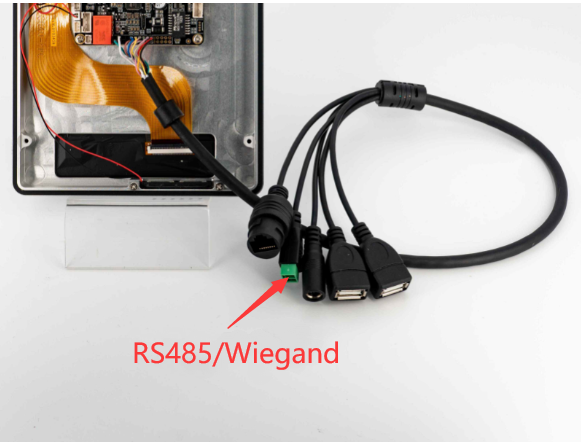
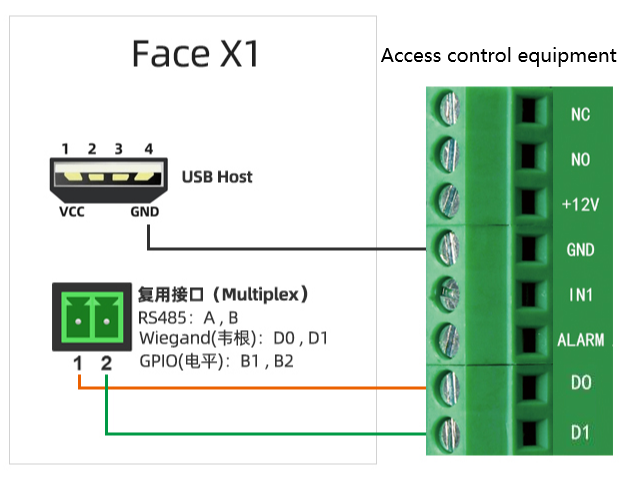
The following is the RS485 connection diagram. VCC and GND can be provided through USB.
RS485 Debugging
DTS configuration
The definition of uart to RS485 node in kernel/arch/arm64/boot/dts/rockchip/rk3399.dtsi:
uart4: serial@ff370000 {
compatible = "rockchip,rk3399-uart", "snps,dw-apb-uart";
reg = <0x0 0xff370000 0x0 0x100>;
clocks = <&pmucru SCLK_UART4_PMU>, <&pmucru PCLK_UART4_PMU>;
clock-names = "baudclk", "apb_pclk";
interrupts = <GIC_SPI 102 IRQ_TYPE_LEVEL_HIGH 0>;
reg-shift = <2>;
reg-io-width = <4>;
pinctrl-names = "default";
pinctrl-0 = <&uart4_xfer>;
status = "disabled";
};
Enabled this node in kernel/arch/arm64/boot/dts/rockchip/rk3399-firefly-face.dtsi:
&uart4 {
-    status = "disable";
+    status = "okay";
};
Connection
Connect pins A, B and GND of RS485 of development board with pins A, B and GND of host serial port adapter (USB to 485 to serial port module).
-
Run the following command on the PC to receive data:
cat /dev/ttyUSB1 -
Run the following command on the PC to send data:
echo 1 > /sys/devices/platform/wiegand-gpio/mode_switch # Switch to RS485 interface functionecho firefly RS485 test... > /dev/ttyS4
Then you can receive the same string Firefly RS485 test... at the other end of the serial connection.
V2 UART
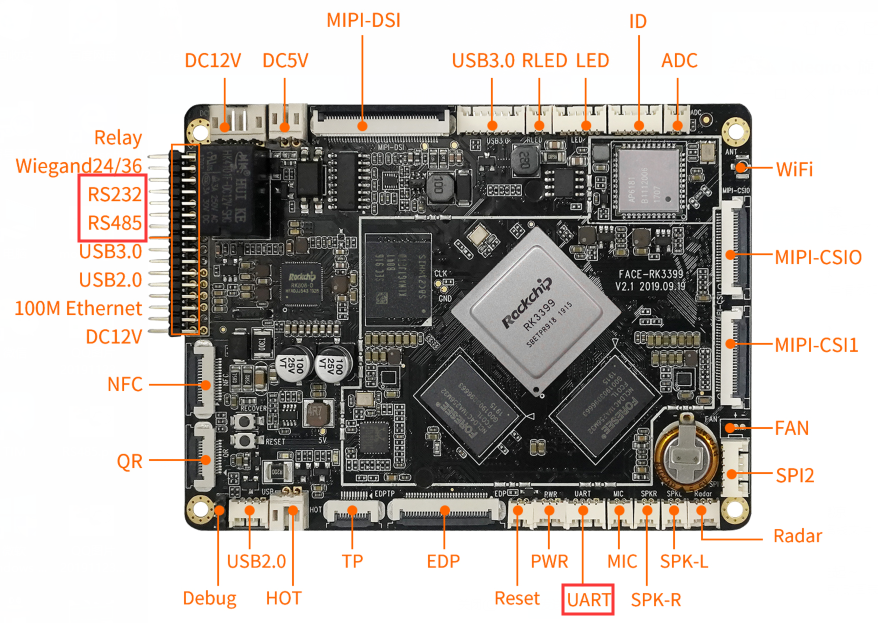
Serial interface has changed in Face-RK3399 V2.
The nodes on the software corresponding to the device interface are respectively:
RS485: /dev/ttyS4
UART: /dev/ttyS0
RS232: /dev/ttyS3
One of the TTL serial ports becomes RS232:
Note: UART (/dev/ttys0) and Bluetooth interface are reused, and only one of them can be used at the same time