3. Debug Console
Debug serial port is very useful during debugging and troubleshooting, especially when the GUI is unavailable.
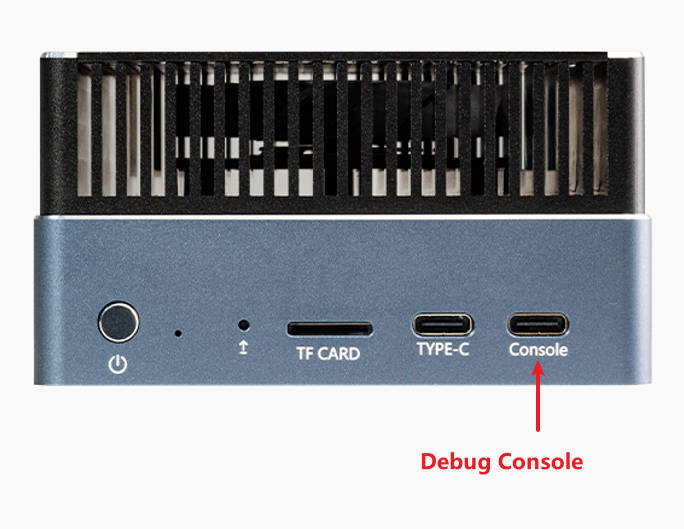
3.1. Connection
Use USB cable to connect the device Console port with PC.
3.2. Install Driver
The serial-to-USB chip is PL2303GL.
Linux PC don’t need to install driver.
Windows PC needs driver, please download PL23XX-M_LogoDriver_Setup_4500.zip from Download Link
Extract the archive and double click the exe file to install, accept the EULA and always click “next”, then click “finish”.
3.3. Usage
After driver installation, you will find “Prolific PL2303GL USB Serial COM Port” in Windows device manager.
In Linux it will be /dev/ttyUSBX or /dev/ttyACMX, the number X may be different, you can unplug and plug again to find the corresponding device.
Use the serial tool like MobaXterm or Minicom to open the serial device, baudrate is 115200, 8 data bit, 1 stop bit, no parity check.