4. Wireless module
4.1. EC20 4G module suit
4.1.1. Product parameters
-
Model
- EC20-C R2.0 Mini PCIe-C
-
Voltage
- 3.3V~ 3.6V, Typical value: 3.3V
-
Working frequency
- TDD-LTE: B38/B39/B40/B41
- FDD-LTE: B1/B3/B8
- WCDMA: B1/B8
- TD-SCDMA: B34/B39
- GSM: 900/1800
-
Data transmission
- TDD-LTE: Max 130Mbps (DL) Max 35Mbps (UL)
- FDD-LTE: Max 150Mbps (DL) Max 50Mbps (UL)
- DC-HSPA+: Max 42Mbps (DL) Max 5.76Mbps (UL)
- UMTS: Max 384Kbps (DL) Max 384Kbps (UL)
- TD-SCDMA: Max 4.2Mbps (DL) Max 2.2Mbps (UL)
- CDMA: Max 3.1Mbps (DL) Max 1.8Mbps (UL)
- EDGE: Max 236.8Kbps (DL) Max 236.8Kbps (UL)
- GPRS: Max 85.6Kbps (DL) Max 85.6Kbps (UL)
-
Interface connector
- USB:USB 2.0 high-speed interface, 480Mbps
- Digital voice: Digital voice interface ×1 (optional)
- USIM:1.8V/3V
- Internet indicator: ×2, NET_STATUS and NET_MODE
- UART:×1 UART
- Reset: low level
- PWRKEY:low level
- Antenna interface: ×3 (Main antenna, diversity antenna and GNSS antenna interface)
- ADC:×2
-
Size
- 51.0mm × 30.0mm × 4.9mm
-
Weight
- About 10.5g
-
Certification
- CCC/ NAL*/ TA
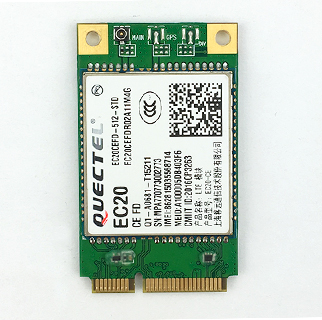
4.1.2. Image
4.1.3. Connection method
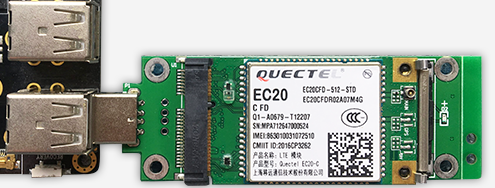
- USB interface connection
4.1.4. Reference firmware
The public-version firmware supports EC20 4G module by default.
4.1.5. DELINCOMM Series
4.1.5.1. Product Parameter
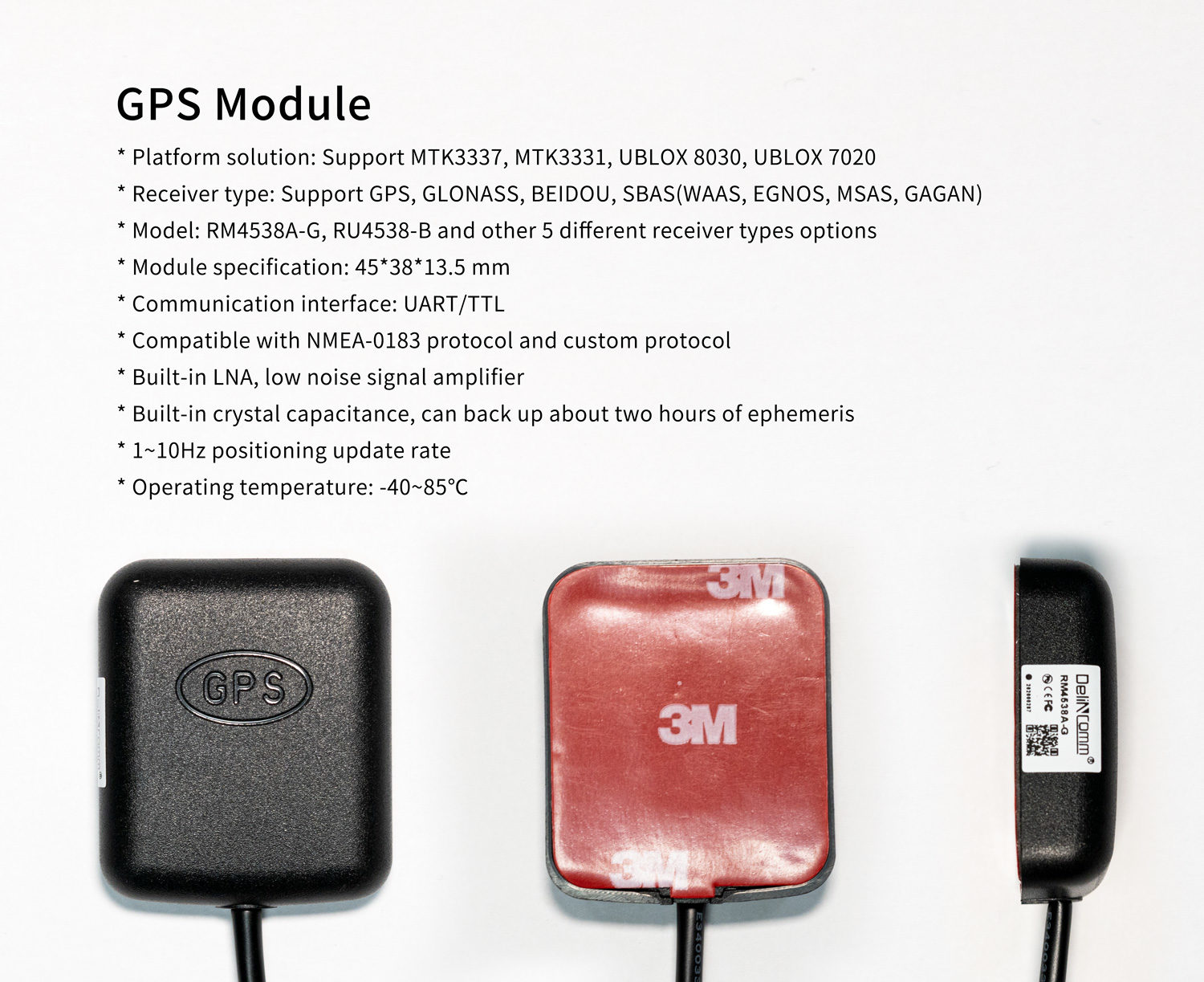
The parameters of each module model of this series will be different, please refer to DelinComm_gps.pdf
4.1.5.2. Connection method
For DELICOMM series, VCC (red wire), GND (black wire), TX (white wire), connect with Firefly-RK3288 UART3 3.3V, GND, RX.
4.1.6. DK2635U7F Module
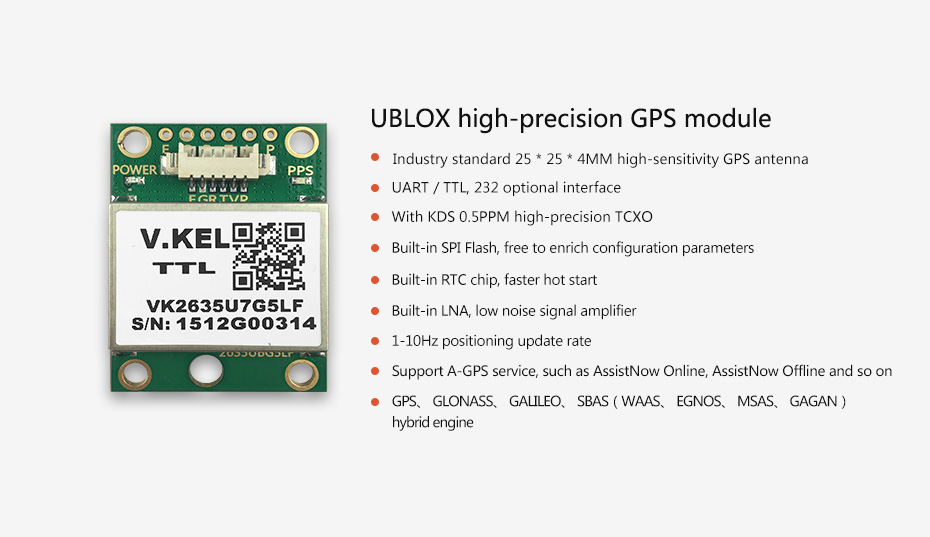
4.1.6.1. Product Parameter
4.1.6.2. Connection method
For Module UBLOX, VCC(white wire), GND(black wire), TX(blue wire), connect with Firefly-RK3288 UART3 3.3V, GND, RX.
4.1.7. Modification method
Modify uart device which you connect with GPS, or modify android system conf file directly /system/etc/u-blox.conf。
 --- a/device/rockchip/rk3288/gps/u-blox.conf
 +++ b/device/rockchip/rk3288/gps/u-blox.conf
 @@ -35,7 +35,7 @@

  ### Serial interface
  # Device to be used by the driver
 -SERIAL_DEVICE          /dev/ttyS4
 +SERIAL_DEVICE          /dev/ttyS3
  #SERIAL_DEVICE         /dev/s3c2410_serial2
  #SERIAL_DEVICE         /dev/i2c-4
  #SERIAL_DEVICE         /dev/ttyACM0
4.1.8. Reference firmware
The public version firmware turns off GPS function by default, you can modify the ro.factory.hasGPS in /system/build.prop to close or open GPS .Then, please restart your board after completing the modification.
4.1.9. Notice
The GPS function may occupy UART3. If you need to use UART3 for other purposes, disable the GPS first.