1. Custom Food Detect Demo
这里基于Yolo11从零开始, 对菜品进行识别的demo。 步骤包含:
- 数据收集,
- 数据标注,
- 训练模型,
- 转换RKNN模型,
- 模型部署及应用。 此demo是说明如何进行自定义类别的识别, 介绍的是整个步骤的过程, 故只对3种菜品进行识别: 小炒肉、西红柿炒蛋、及米饭。
2. 数据收集
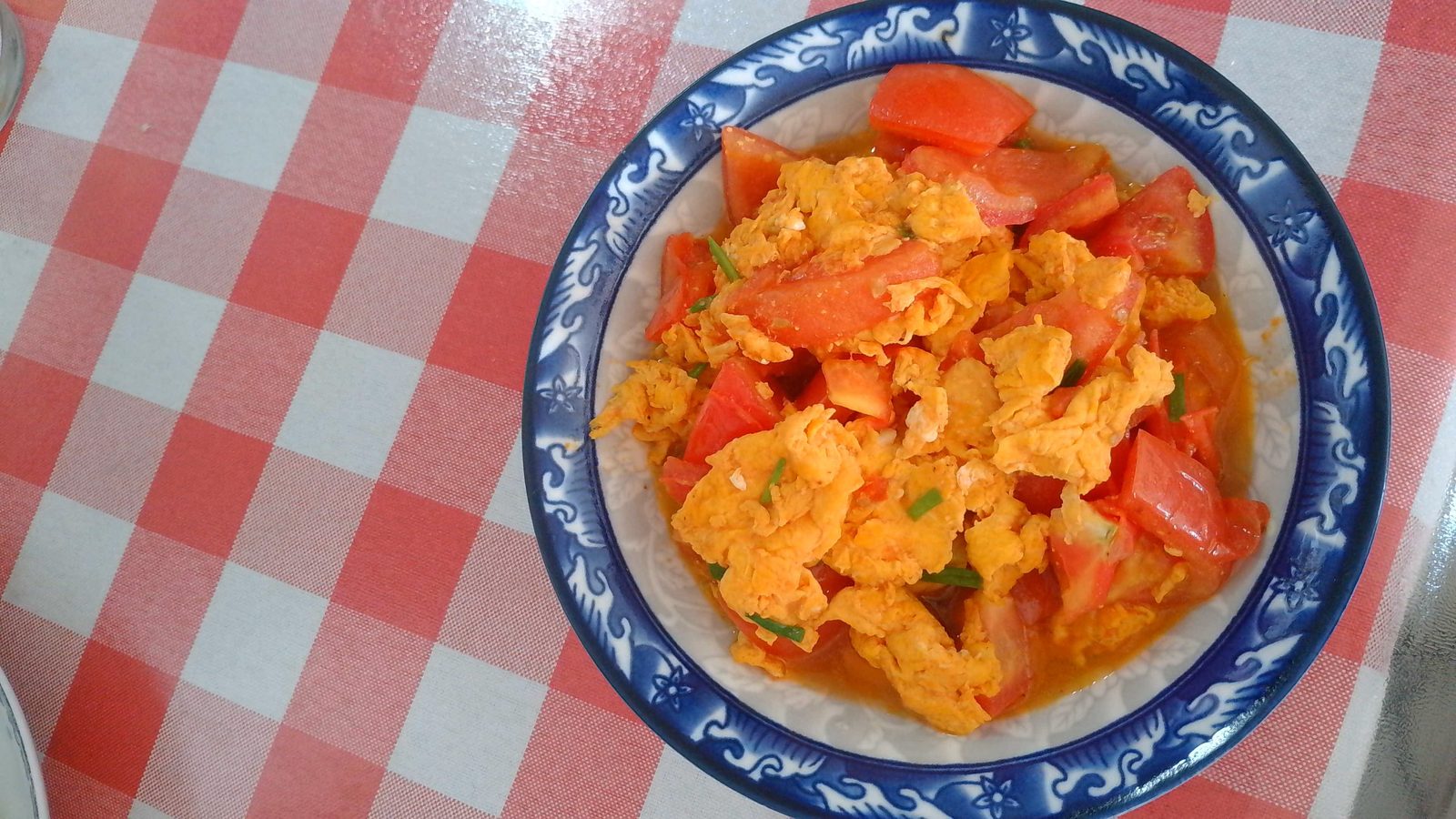
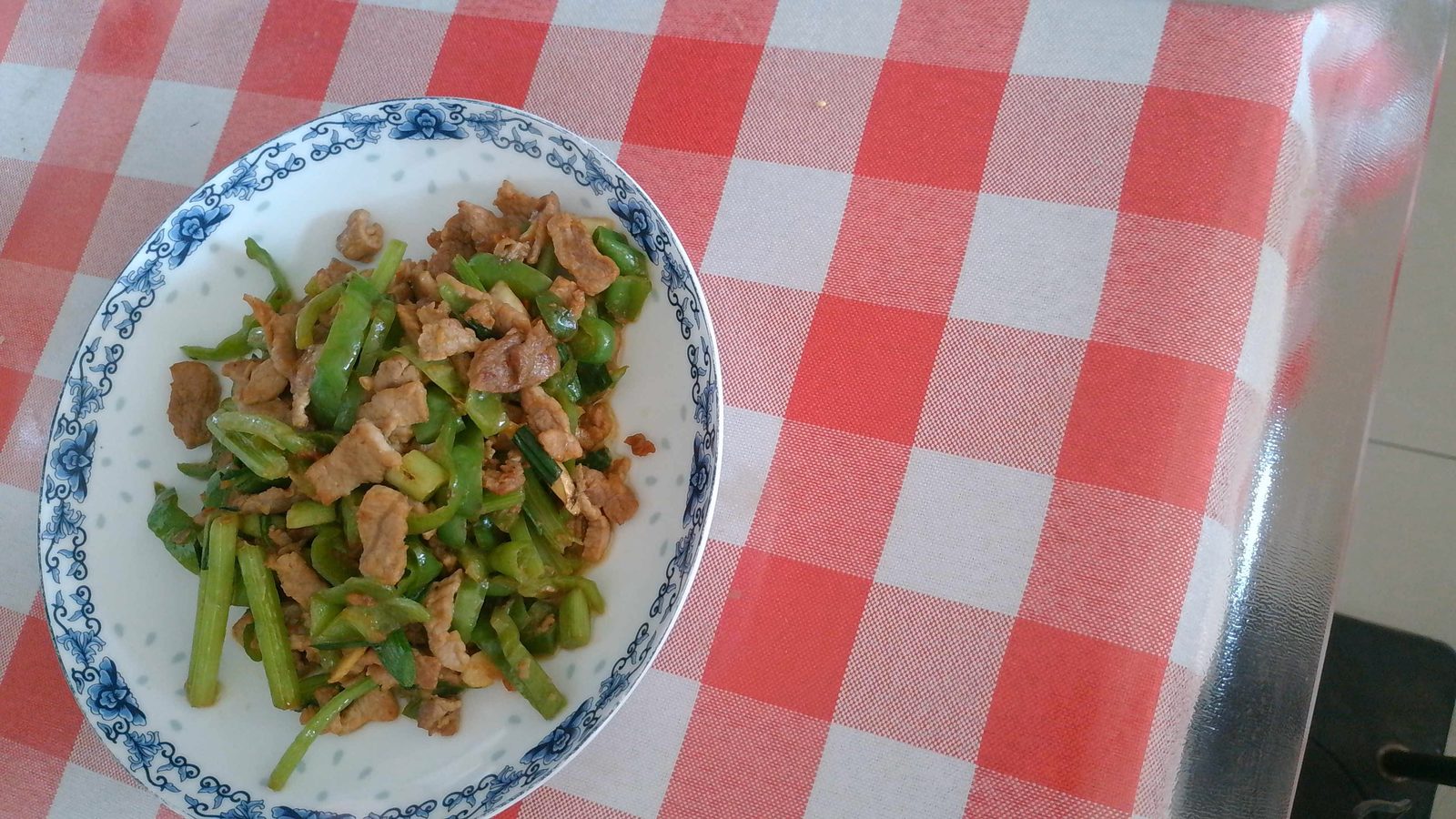
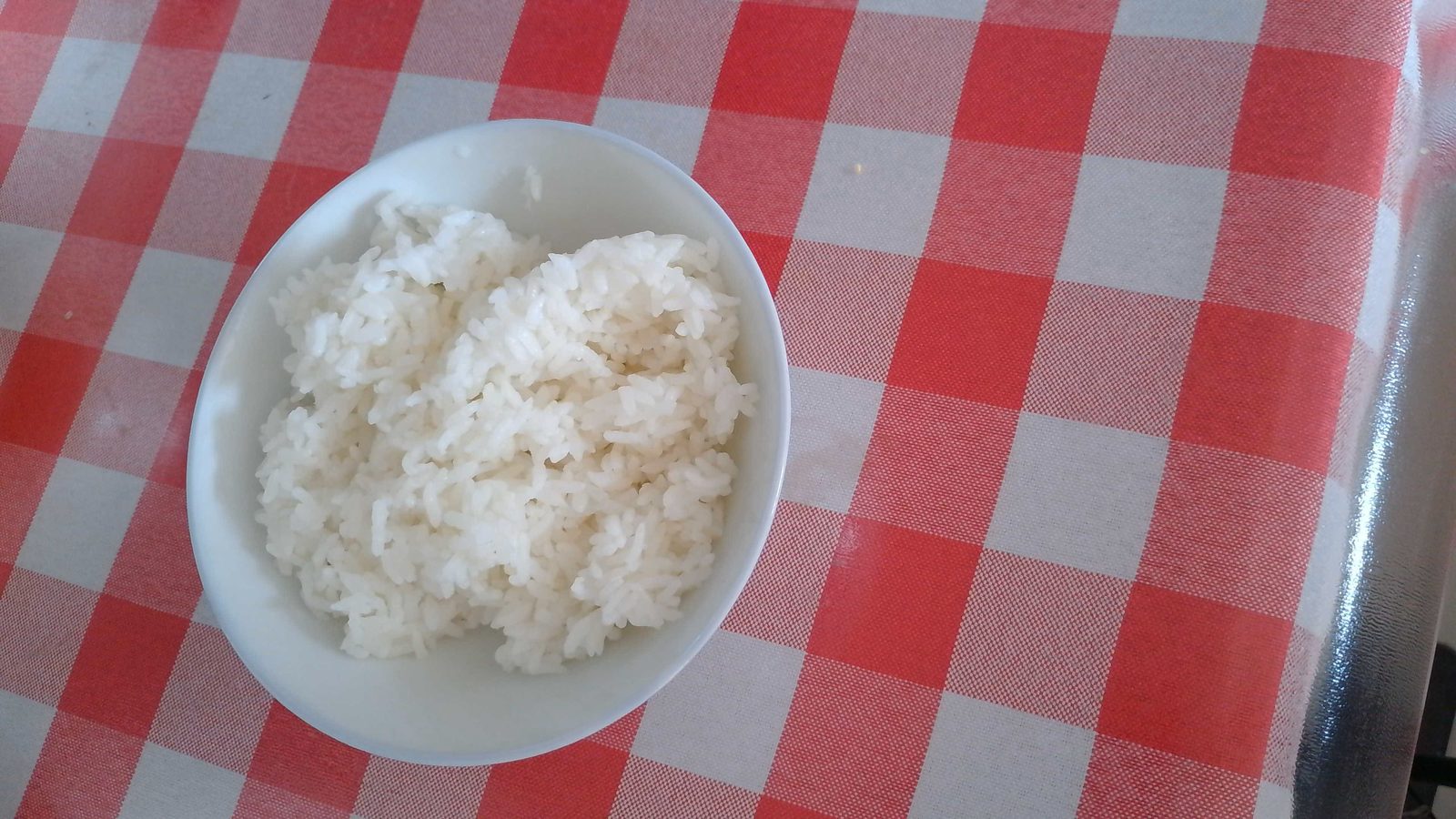
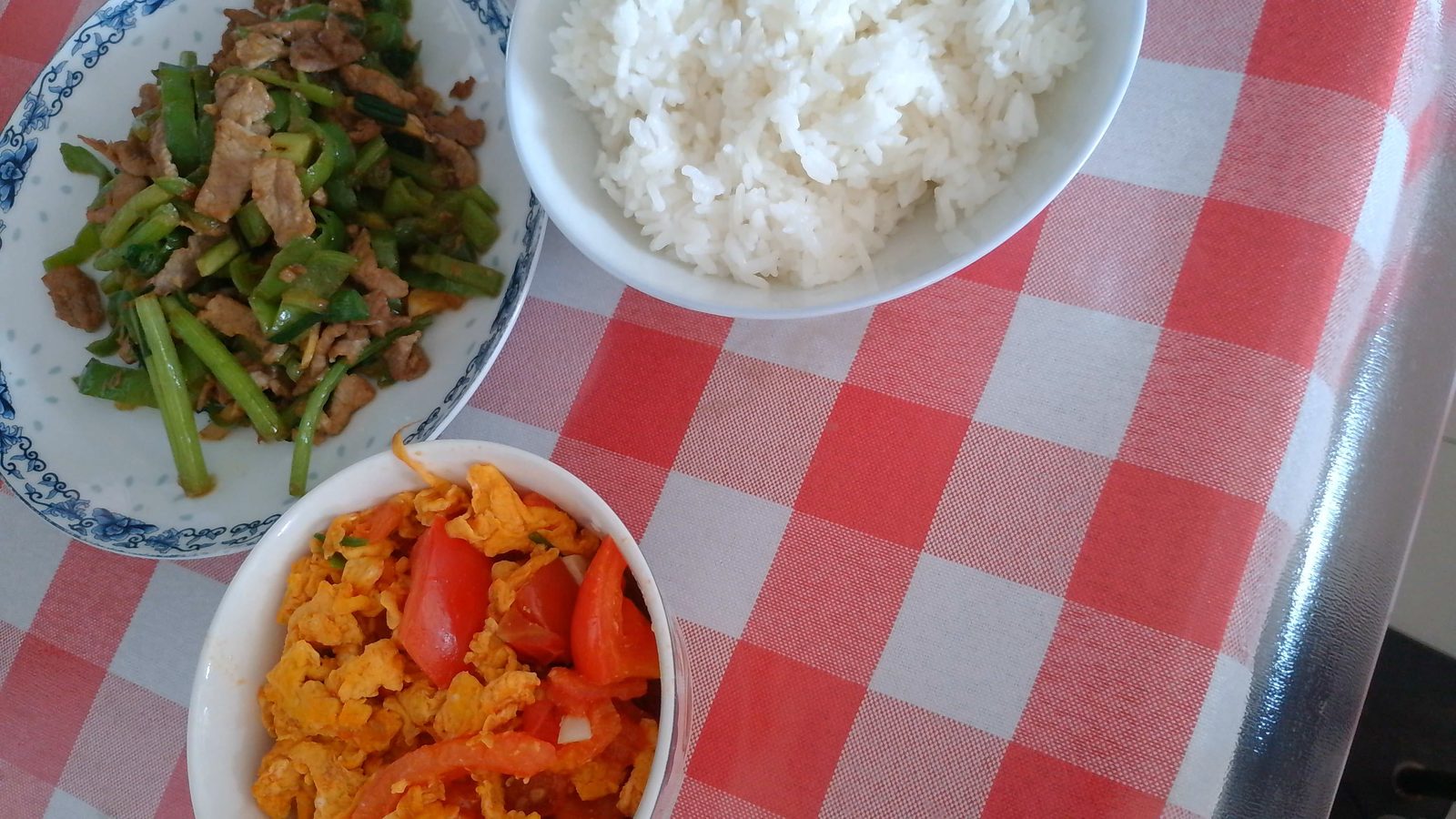
收集数据比较简单, 自己炒几个菜, 在电脑上面使用摄像头进行拍照。 拍照时, 需要考虑各种角度, 甚至只有一半的照片。 每一种菜品大概100~200张, 各种两两等组合都拍照。如下:
- 西红柿炒蛋
- 小炒肉
- 米饭
- 全部组合
当然, 也可以考虑不同灯光, 或者比较亮和暗的情景。
3. 安装标注工具
使用Yolo11框架进行训练之前需要先标注数据, 而且需要按照Yolo11格式进行标注。这里使用开源工具Label Studio.
3.1 安装Label Studio
参考官方的安装文档Installation. 这里是在Windows 11系统上面使用如下安装:
c:\yolo11>python3 -m venv yolo11

c:\yolo11>yolo11\Scripts\activate.bat

(yolo11) c:\yolo11>python -m pip install label-studio
3.2 启动Label Studio
安装成功后, 如下命令启动Label Studio:
(yolo11) c:\yolo11>label-studio
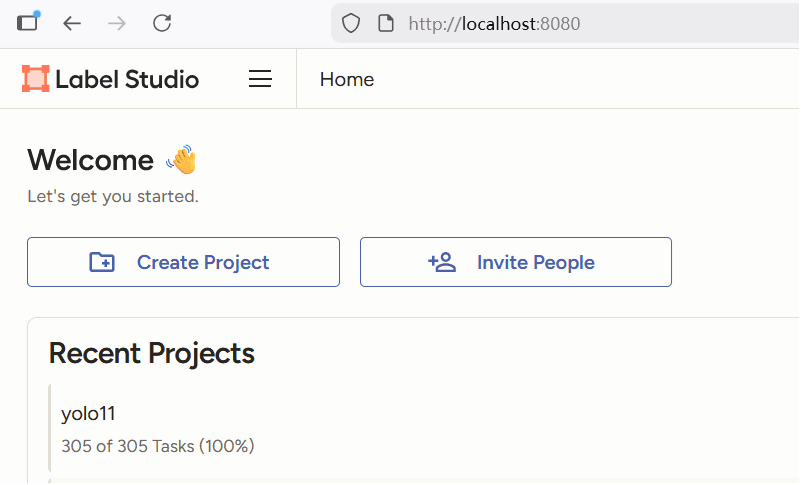
之后打开浏览器, 输入: http://localhost:8080/
4. 标注数据
启动Label Studio后, 需要创建'Project'及类别设定。
4.1 设定类别
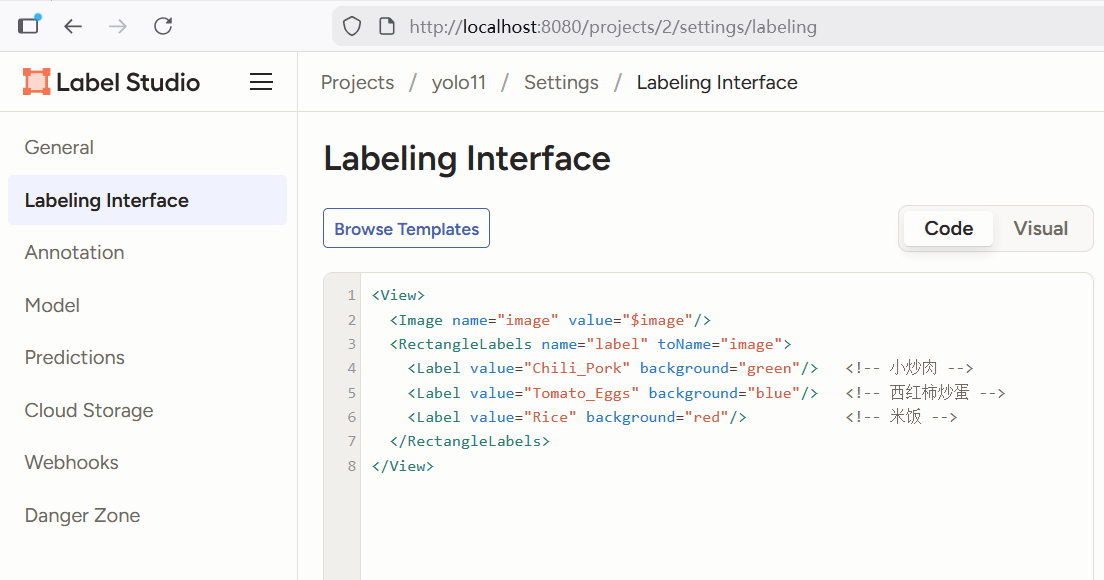
如下设置类别:
<View>
  <Image name="image" value="$image"/>
  <RectangleLabels name="label" toName="image">
    <Label value="Chili_Pork" background="green"/>   <!-- 小炒肉 -->
    <Label value="Tomato_Eggs" background="blue"/>   <!-- 西红柿炒蛋 -->
    <Label value="Rice" background="red"/>           <!-- 米饭 -->
  </RectangleLabels>
</View>
4.2 导入数据
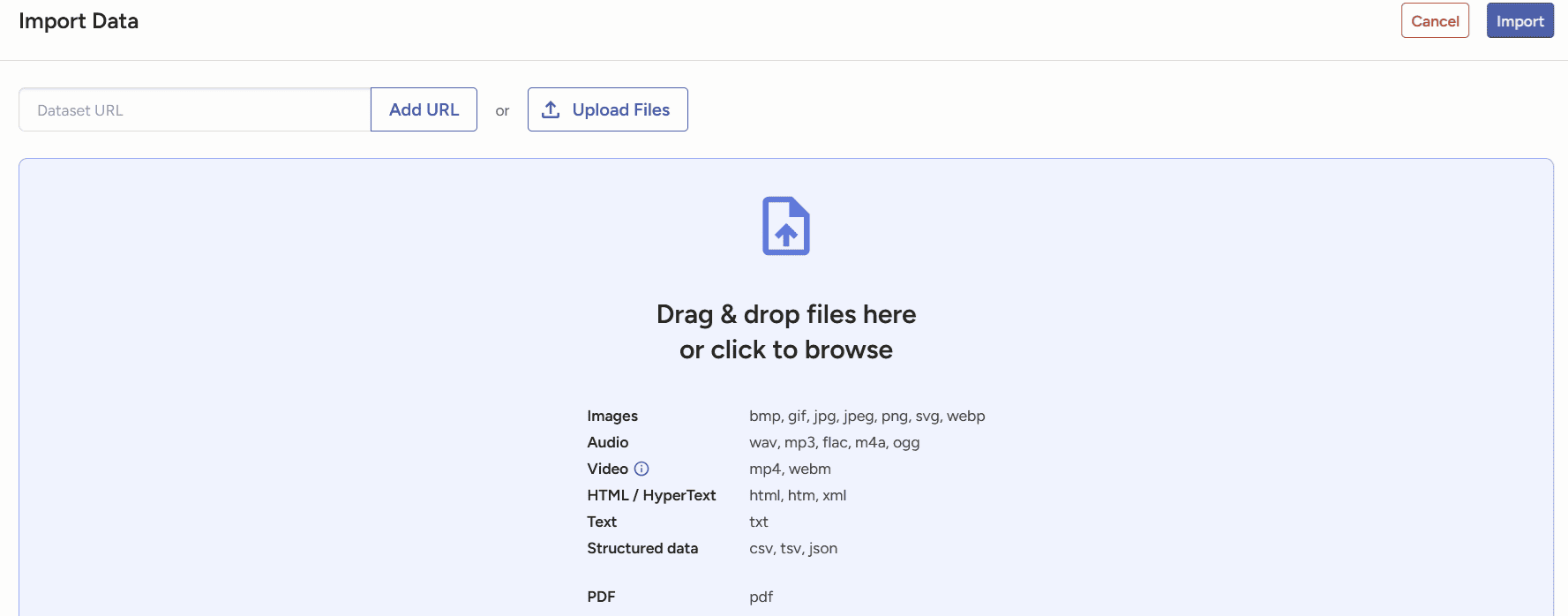
设定类别后就可以导入数据, 导入数据时一次不能超过100张, 数据大需要多次导入, 如下:
4.2 标注
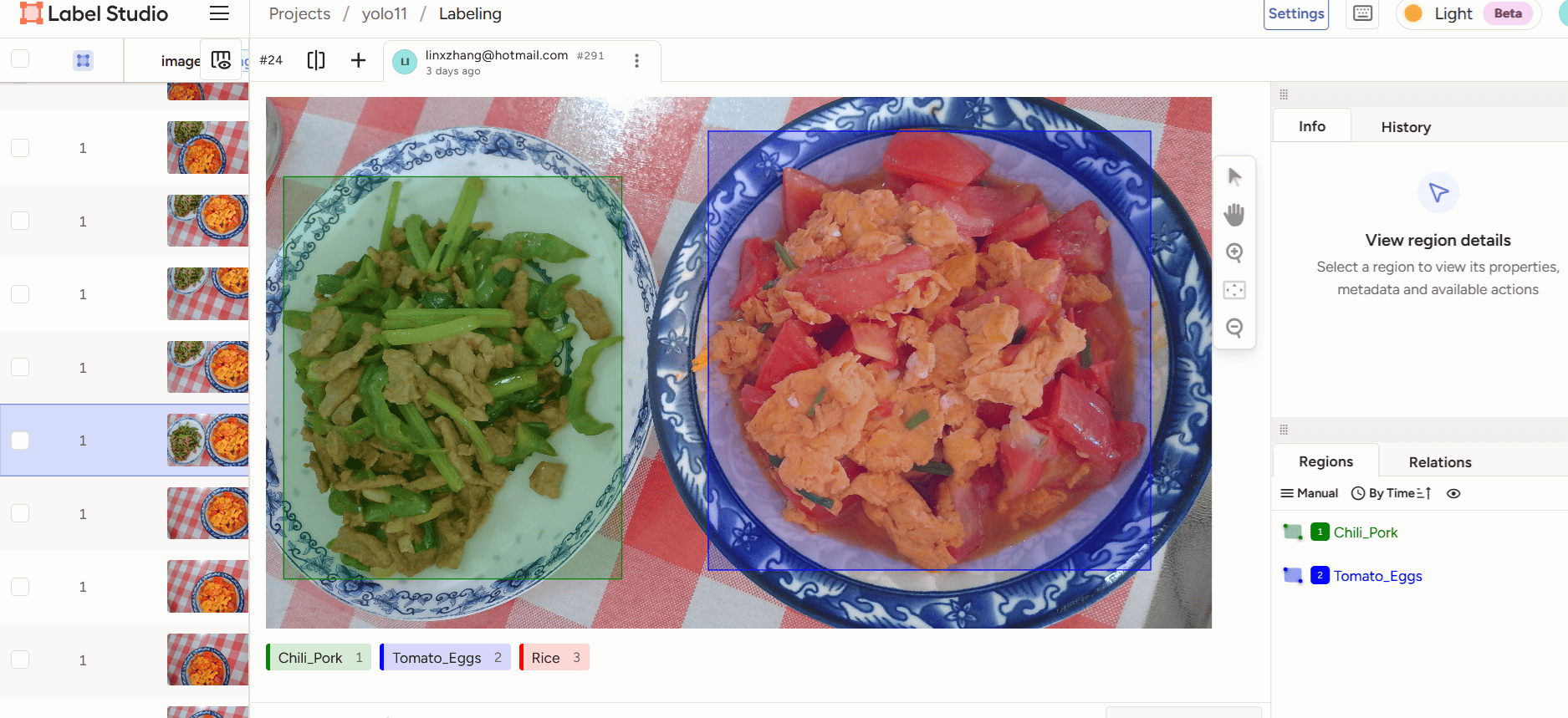
数据导入后就可以进行标注, 如下:
4.3 导出数据
标注完成后, 再导出Yolo标注格式内容, 如下:
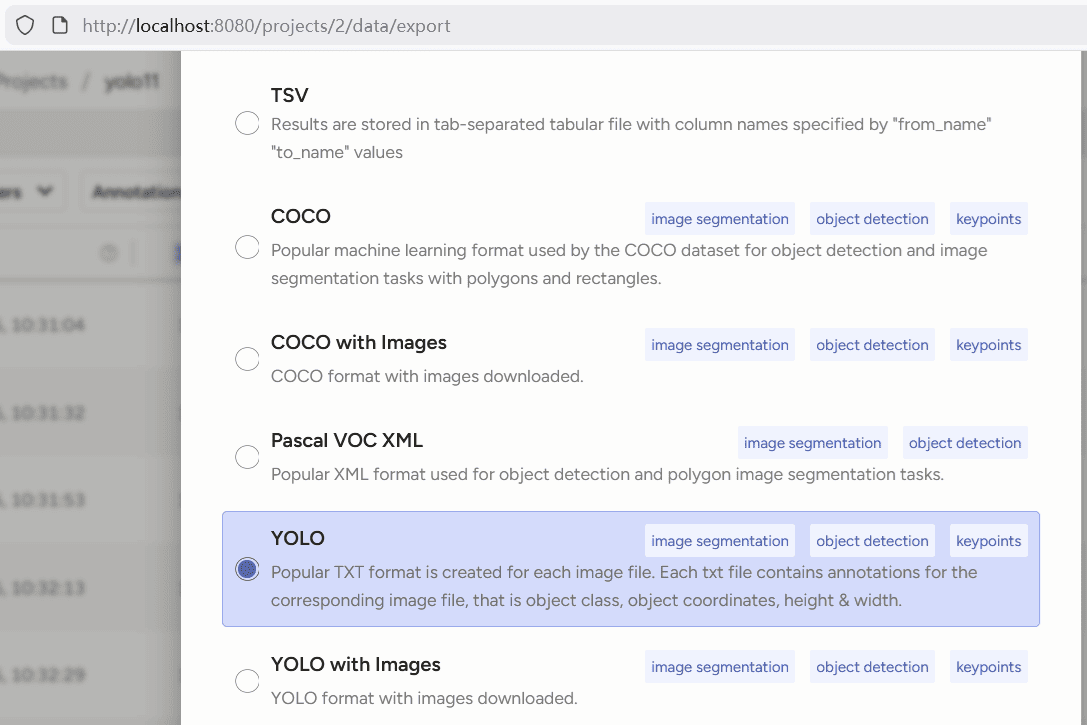
标注的文件名称如下:
(yolo11) D:\rknn\project-2-at-2025-11-25-15-01-c0493415\labels>dir
 驱动器 D 中的卷没有标签。
 卷的序列号是 3834-B357

 D:\rknn\project-2-at-2025-11-25-15-01-c0493415\labels 的目录

2025/11/25  15:02    <DIR>          .
2025/11/25  15:02    <DIR>          ..
2025/11/25  15:01                79 001fe369-WIN_20251115_12_06_09_Pro.txt
2025/11/25  15:01               148 021e2b06-WIN_20251115_12_19_03_Pro.txt
2025/11/25  15:01                81 023cbf31-WIN_20251115_12_11_12_Pro.txt
2025/11/25  15:01                79 02a45b70-WIN_20251115_12_14_15_Pro.txt
2025/11/25  15:01                82 030e40cb-WIN_20251115_12_08_57_Pro.txt
2025/11/25  15:01                80 03f60e3f-WIN_20251115_12_07_39_Pro.txt
2025/11/25  15:01                59 04e66f1f-WIN_20251115_11_54_19_Pro.txt
2025/11/25  15:01                80 05384bb9-WIN_20251115_12_04_19_Pro.txt
2025/11/25  15:01                80 0573aafd-WIN_20251115_12_12_26_Pro.txt
2025/11/25  15:01                63 0675dcc7-WIN_20251115_12_11_53_Pro.txt
2025/11/25  15:01               140 0681ae11-WIN_20251115_12_19_15_Pro.txt
2025/11/25  15:01                81 06cc16de-WIN_20251115_12_15_25_Pro.txt
2025/11/25  15:01                74 07fc5f04-WIN_20251115_12_09_19_Pro.txt
2025/11/25  15:01                80 080766f2-WIN_20251115_12_16_44_Pro.txt
2025/11/25  15:01               154 08d5ba3a-WIN_20251115_12_01_12_Pro.txt
2025/11/25  15:01                73 09fb2a7c-WIN_20251115_12_03_48_Pro.txt
2025/11/25  15:01                52 0c304cd5-WIN_20251115_12_08_28_Pro.txt
2025/11/25  15:01                81 0c6c33d8-WIN_20251115_12_13_02_Pro.txt
2025/11/25  15:01                61 0d1c50c7-WIN_20251115_11_56_28_Pro.txt
每一个文件名称有一个hash value前缀, 之后进行训练时需要去除掉。
每一个文件内容及格式如下:
1 0.33808593750000004 0.7145833333333331 0.33398437500000017 0.5708333333333331
5. 训练模型
训练模型时需要消耗很大的内存及CPU/GPU资源, 建议在具有GPU或者性能较好的设备上进行。使用Yolo11框架进行训练, 还需要先安装Yolo11的环境。
这里使用如下设备进行训练:
linx@ubuntu2004:/home/linx/food/yolo11/dataset$ lsb_release -a
LSB Version:    core-11.1.0ubuntu2-noarch:security-11.1.0ubuntu2-noarch
Distributor ID: Linuxmint
Description:    Linux Mint 20
Release:        20
Codename:       ulyana
linx@ubuntu2004:/home/linx/food/yolo11/dataset$ free -lh
              total        used        free      shared  buff/cache   available
Mem:           62Gi       3.3Gi       1.0Gi        20Mi        58Gi        58Gi
Low:           62Gi        61Gi       1.0Gi
High:            0B          0B          0B
Swap:         2.0Gi       975Mi       1.0Gi
linx@ubuntu2004:/home/linx/food/yolo11/dataset$ cat /proc/cpuinfo
processor       : 0
vendor_id       : AuthenticAMD
cpu family      : 23
model           : 49
model name      : AMD Ryzen Threadripper 3970X 32-Core Processor
stepping        : 0
microcode       : 0x8301039
cpu MHz         : 2195.839
cache size      : 512 KB
physical id     : 0
siblings        : 64
core id         : 0
cpu cores       : 32
apicid          : 0
initial apicid  : 0
fpu             : yes
fpu_exception   : yes
cpuid level     : 16
wp              : yes
5.1 安装Yolo环境
按照Yolo11官方的安装步骤, 这里使用conda创建了Python虚拟环境, 如下:
linx@ubuntu2004:/home/linx/food/yolo11$ conda activate yolo11
(yolo11) linx@ubuntu2004:/home/linx/food/yolo11$ python3 --version
Python 3.10.18
(yolo11) linx@ubuntu2004:/home/linx/food/yolo11$ pip list | grep ultr
ultralytics              8.3.176
ultralytics-thop         2.0.14
(yolo11) linx@ubuntu2004:/home/linx/food/yolo11$ pip install -U ultralytics -i https://pypi.tuna.tsinghua.edu.cn/simple
5.2 搭建训练环境
需要创建如下目录结构:
dataset/
├── images
│   ├── train
│   └── val
└── labels
    ├── train
    └── val
把训练的图片拷贝到dataset/images/train及dataset/images/val目录, 由于是小数据量, 保证val里的图片数量占总量的20%, 以便防止过拟合检测, 如下:
(yolo11) linx@ubuntu2004:/home/linx/food/yolo11/dataset$ tree -L 2 && echo "=== file count ===" && find images labels -type d -exec sh -c 'echo -n "{}: "; ls "{}" | wc -l' \;
.
├── images
│   ├── train
│   └── val
└── labels
    ├── train
    ├── train.cache
    ├── val
    └── val.cache

6 directories, 2 files
=== file count ===
images: 2
images/val: 77
images/train: 229
labels: 4
labels/val: 77
labels/train: 228
需要注意, dataset/labels/val里的文件名需要和dataset/images/val的文件名保持一致, 只是扩展名不一样而已。
5.3 启动训练
参考Yolo11官方训练方法, 先创建一个data.yaml文件, 内容如下:
path: dataset
train: images/train
val: images/val

nc: 3
names: ['Chili_Pork', 'Rice', 'Tomato_Eggs']
再写一个python训练程序train.py,内容如下:
from ultralytics import YOLO

# Load a model
#model = YOLO("yolo11n.yaml")  # build a new model from YAML
model = YOLO("yolo11n.pt")  # load a pretrained model (recommended for training)
#model = YOLO("yolo11n.yaml").load("yolo11n.pt")  # build from YAML and transfer weights

# Train the model
results = model.train(data="data.yaml", epochs=120, imgsz=640)
这里是基于Yolo11与训练模型yolo11n.pt基础上进行自定义数据训练。
最后使用如下命令启动训练:
(yolo11) linx@ubuntu2004:/home/linx/food/yolo11$ python3 train.py
WARNING ⚠️ Ultralytics settings reset to default values. This may be due to a possible problem with your settings or a recent ultralytics package update.
View Ultralytics Settings with 'yolo settings' or at '/home/linx/.config/Ultralytics/settings.json'
Update Settings with 'yolo settings key=value', i.e. 'yolo settings runs_dir=path/to/dir'. For help see https://docs.ultralytics.com/quickstart/#ultralytics-settings.
Ultralytics 8.3.176 🚀 Python-3.10.18 torch-2.8.0+cu128 CPU (AMD Ryzen Threadripper 3970X 32-Core Processor)
engine/trainer: agnostic_nms=False, amp=True, augment=False, auto_augment=randaugment, batch=16, bgr=0.0, box=7.5, cache=False, cfg=None, classes=None, close_mosaic=10, cls=0.5, conf=None, copy_paste=0.0, copy_paste_mode=flip, cos_lr=False, cutmix=0.0, data=data.yaml, degrees=0.0, deterministic=True, device=cpu, dfl=1.5, dnn=False, dropout=0.0, dynamic=False, embed=None, epochs=120, erasing=0.4, exist_ok=False, fliplr=0.5, flipud=0.0, format=torchscript, fraction=1.0, freeze=None, half=False, hsv_h=0.015, hsv_s=0.7, hsv_v=0.4, imgsz=640, int8=False, iou=0.7, keras=False, kobj=1.0, line_width=None, lr0=0.01, lrf=0.01, mask_ratio=4, max_det=300, mixup=0.0, mode=train, model=yolo11n.pt, momentum=0.937, mosaic=1.0, multi_scale=False, name=train3, nbs=64, nms=False, opset=None, optimize=False, optimizer=auto, overlap_mask=True, patience=100, perspective=0.0, plots=True, pose=12.0, pretrained=True, profile=False, project=None, rect=False, resume=False, retina_masks=False, save=True, save_conf=False, save_crop=False, save_dir=runs/detect/train3, save_frames=False, save_json=False, save_period=-1, save_txt=False, scale=0.5, seed=0, shear=0.0, show=False, show_boxes=True, show_conf=True, show_labels=True, simplify=True, single_cls=False, source=None, split=val, stream_buffer=False, task=detect, time=None, tracker=botsort.yaml, translate=0.1, val=True, verbose=True, vid_stride=1, visualize=False, warmup_bias_lr=0.1, warmup_epochs=3.0, warmup_momentum=0.8, weight_decay=0.0005, workers=8, workspace=None
Overriding model.yaml nc=80 with nc=3

                   from  n    params  module                                       arguments
  0                  -1  1       464  ultralytics.nn.modules.conv.Conv             [3, 16, 3, 2]
  1                  -1  1      4672  ultralytics.nn.modules.conv.Conv             [16, 32, 3, 2]
  2                  -1  1      6640  ultralytics.nn.modules.block.C3k2            [32, 64, 1, False, 0.25]
  3                  -1  1     36992  ultralytics.nn.modules.conv.Conv             [64, 64, 3, 2]
  4                  -1  1     26080  ultralytics.nn.modules.block.C3k2            [64, 128, 1, False, 0.25]
  5                  -1  1    147712  ultralytics.nn.modules.conv.Conv             [128, 128, 3, 2]
  6                  -1  1     87040  ultralytics.nn.modules.block.C3k2            [128, 128, 1, True]
  7                  -1  1    295424  ultralytics.nn.modules.conv.Conv             [128, 256, 3, 2]
  8                  -1  1    346112  ultralytics.nn.modules.block.C3k2            [256, 256, 1, True]
  9                  -1  1    164608  ultralytics.nn.modules.block.SPPF            [256, 256, 5]
 10                  -1  1    249728  ultralytics.nn.modules.block.C2PSA           [256, 256, 1]
 11                  -1  1         0  torch.nn.modules.upsampling.Upsample         [None, 2, 'nearest']
 12             [-1, 6]  1         0  ultralytics.nn.modules.conv.Concat           [1]
 13                  -1  1    111296  ultralytics.nn.modules.block.C3k2            [384, 128, 1, False]
 14                  -1  1         0  torch.nn.modules.upsampling.Upsample         [None, 2, 'nearest']
 15             [-1, 4]  1         0  ultralytics.nn.modules.conv.Concat           [1]
 16                  -1  1     32096  ultralytics.nn.modules.block.C3k2            [256, 64, 1, False]
 17                  -1  1     36992  ultralytics.nn.modules.conv.Conv             [64, 64, 3, 2]
 18            [-1, 13]  1         0  ultralytics.nn.modules.conv.Concat           [1]
 19                  -1  1     86720  ultralytics.nn.modules.block.C3k2            [192, 128, 1, False]
 20                  -1  1    147712  ultralytics.nn.modules.conv.Conv             [128, 128, 3, 2]
 21            [-1, 10]  1         0  ultralytics.nn.modules.conv.Concat           [1]
 22                  -1  1    378880  ultralytics.nn.modules.block.C3k2            [384, 256, 1, True]
 23        [16, 19, 22]  1    431257  ultralytics.nn.modules.head.Detect           [3, [64, 128, 256]]
YOLO11n summary: 181 layers, 2,590,425 parameters, 2,590,409 gradients, 6.4 GFLOPs

Transferred 448/499 items from pretrained weights
Freezing layer 'model.23.dfl.conv.weight'
train: Fast image access ✅ (ping: 0.0±0.0 ms, read: 70.4±33.7 MB/s, size: 1093.9 KB)
train: Scanning /home/linx/food/yolo11/dataset/labels/train... 228 images, 1 backgrounds, 0 corrupt: 100%|██████████| 229/229 [00:01<00:00, 152.53it/s]
train: New cache created: /home/linx/food/yolo11/dataset/labels/train.cache
/home/linx/miniconda3/envs/yolo11/lib/python3.10/site-packages/torch/utils/data/dataloader.py:666: UserWarning: 'pin_memory' argument is set as true but no accelerator is found, then device pinned memory won't be used.
  warnings.warn(warn_msg)
val: Fast image access ✅ (ping: 0.0±0.0 ms, read: 92.2±30.1 MB/s, size: 1218.8 KB)
val: Scanning /home/linx/food/yolo11/dataset/labels/val... 77 images, 0 backgrounds, 0 corrupt: 100%|██████████| 77/77 [00:00<00:00, 323.94it/s]
val: New cache created: /home/linx/food/yolo11/dataset/labels/val.cache
/home/linx/miniconda3/envs/yolo11/lib/python3.10/site-packages/torch/utils/data/dataloader.py:666: UserWarning: 'pin_memory' argument is set as true but no accelerator is found, then device pinned memory won't be used.
  warnings.warn(warn_msg)
Plotting labels to runs/detect/train3/labels.jpg...
optimizer: 'optimizer=auto' found, ignoring 'lr0=0.01' and 'momentum=0.937' and determining best 'optimizer', 'lr0' and 'momentum' automatically...
optimizer: AdamW(lr=0.001429, momentum=0.9) with parameter groups 81 weight(decay=0.0), 88 weight(decay=0.0005), 87 bias(decay=0.0)
Image sizes 640 train, 640 val
Using 0 dataloader workers
Logging results to runs/detect/train3
Starting training for 120 epochs...

      Epoch    GPU_mem   box_loss   cls_loss   dfl_loss  Instances       Size
      1/120         0G     0.8264      2.837      1.182         15        640: 100%|██████████| 15/15 [00:35<00:00,  2.34s/it]
                 Class     Images  Instances      Box(P          R      mAP50  mAP50-95): 100%|██████████| 3/3 [00:05<00:00,  1.88s/it]
                   all         77        102    0.00448          1      0.601      0.534
	  Epoch    GPU_mem   box_loss   cls_loss   dfl_loss  Instances       Size
      2/120         0G     0.5584      1.698      1.005          9        640: 100%|██████████| 15/15 [00:26<00:00,  1.80s/it]
                 Class     Images  Instances      Box(P          R      mAP50  mAP50-95): 100%|██████████| 3/3 [00:04<00:00,  1.46s/it]
                   all         77        102     0.0044          1      0.848      0.754

      Epoch    GPU_mem   box_loss   cls_loss   dfl_loss  Instances       Size
      3/120         0G     0.5627      1.177      1.006         16        640: 100%|██████████| 15/15 [00:27<00:00,  1.80s/it]
                 Class     Images  Instances      Box(P          R      mAP50  mAP50-95): 100%|██████████| 3/3 [00:04<00:00,  1.37s/it]
                   all         77        102      0.955      0.403      0.953      0.805
训练完成有如下输出:
120 epochs completed in 1.070 hours.
Optimizer stripped from runs/detect/train3/weights/last.pt, 5.5MB
Optimizer stripped from runs/detect/train3/weights/best.pt, 5.5MB

Validating runs/detect/train3/weights/best.pt...
Ultralytics 8.3.176 🚀 Python-3.10.18 torch-2.8.0+cu128 CPU (AMD Ryzen Threadripper 3970X 32-Core Processor)
YOLO11n summary (fused): 100 layers, 2,582,737 parameters, 0 gradients, 6.3 GFLOPs
                 Class     Images  Instances      Box(P          R      mAP50  mAP50-95): 100%|██████████| 3/3 [00:03<00:00,  1.03s/it]
                   all         77        102      0.997      0.993      0.995      0.964
            Chili_Pork         39         39      0.999          1      0.995      0.964
                  Rice         30         30      0.993          1      0.995      0.964
           Tomato_Eggs         31         33          1       0.98      0.995      0.964
Speed: 0.3ms preprocess, 13.0ms inference, 0.0ms loss, 0.2ms postprocess per image
Results saved to runs/detect/train3
5.4 导出ONNX
这里导出ONNX模型, 需要使用Rockchip官方的导出方法, clone github上面的仓库ultralytics_yolo11.
Rockchip的ultralytics_yolo11里有做如下优化:
- Change output node, remove post-process from the model. (post-process block in model is unfriendly for quantization)
- Remove dfl structure at the end of the model. (which slowdown the inference speed on NPU device)
- Add a score-sum output branch to speedup post-process. All the removed operation will be done on CPU. (the CPU post-process could be found in RKNN_Model_Zoo)
其次, 安装rknn-toolkit2环境, 安装rknn-toolkit2时需要注意onnx包版本号, 如下:
linx@ubuntu2004:/home/linx/food/yolo11/runs/detect/train2/weights$ pip list | grep rknn
rknn-toolkit2                2.3.2
linx@ubuntu2004:/home/linx/food/yolo11/runs/detect/train2/weights$ pip list | grep onnx
onnx                         1.17.0
onnxoptimizer                0.2.7
onnxruntime                  1.16.0
paddle2onnx                  1.3.1
linx@ubuntu2004:/home/linx/food/yolo11/runs/detect/train2/weights$ pip list | grep numpy
numpy                        1.24.4
环境安装成功后, 修改ultralytics_yolo11里的ultralytics_yolo11/ultralytics/cfg/default.yaml, 如下:
# Ultralytics YOLO 🚀, AGPL-3.0 license
# Default training settings and hyperparameters for medium-augmentation COCO training
task: detect # (str) YOLO task, i.e. detect, segment, classify, pose, obb
mode: train # (str) YOLO mode, i.e. train, val, predict, export, track, benchmark

# Train settings -------------------------------------------------------------------------------------------------------
model: /home/linx/food/yolo11/runs/detect/train2/weights/best.pt  # (str, optional) path to model file, i.e. yolo11n.pt, yolo11n.yaml
data: # (str, optional) path to data file, i.e. coco8.yaml
epochs: 190 # (int) number of epochs to train for
...
最后执行导出命令, 如下:
linx@ubuntu2004:/home/linx/rknn/ultralytics_yolo11$ export PYTHONPATH=./
linx@ubuntu2004:/home/linx/rknn/ultralytics_yolo11$ python3 ./ultralytics/engine/exporter.py
Ultralytics 8.3.9 🚀 Python-3.8.10 torch-1.10.1+cu102 CPU (AMD Ryzen Threadripper 3970X 32-Core Processor)
YOLO11n summary (fused): 238 layers, 2,582,737 parameters, 0 gradients, 6.3 GFLOPs

PyTorch: starting from '/home/linx/food/yolo11/runs/detect/train2/weights/best.pt' with input shape (16, 3, 640, 640) BCHW and output shape(s) ((16, 64, 80, 80), (16, 3, 80, 80), (16, 1, 80, 80), (16, 64, 40, 40), (16, 3, 40, 40), (16, 1, 40, 40), (16, 64, 20, 20), (16, 3, 20, 20), (16, 1, 20, 20)) (5.2 MB)

RKNN: starting export with torch 1.10.1+cu102...

RKNN: feed /home/linx/food/yolo11/runs/detect/train2/weights/best.onnx to RKNN-Toolkit or RKNN-Toolkit2 to generate RKNN model.
Refer https://github.com/airockchip/rknn_model_zoo/tree/main/examples/
RKNN: export success ✅ 1.7s, saved as '/home/linx/food/yolo11/runs/detect/train2/weights/best.onnx' (9.9 MB)

Export complete (3.1s)
Results saved to /home/linx/food/yolo11/runs/detect/train2/weights
Predict:         yolo predict task=detect model=/home/linx/food/yolo11/runs/detect/train2/weights/best.onnx imgsz=640
Validate:        yolo val task=detect model=/home/linx/food/yolo11/runs/detect/train2/weights/best.onnx imgsz=640 data=data.yaml
Visualize:       https://netron.app
linx@ubuntu2004:/home/linx/rknn/ultralytics_yolo11$
这样就成功导出文件:
/home/linx/food/yolo11/runs/detect/train2/weights/best.onnx
5.5 验证ONNX模型
参考Yolo11 Predict官方推理python程序, 如下:
from ultralytics import YOLO

# Load a model
model = YOLO("runs/detect/train2/weights/best.pt")  # pretrained YOLO11n model

# Run batched inference on a list of images
results = model(["dataset/images/val/WIN_20251115_12_18_42_Pro.jpg"])  # return a list of Results objects

# Process results list
for result in results:
    boxes = result.boxes  # Boxes object for bounding box outputs
    masks = result.masks  # Masks object for segmentation masks outputs
    keypoints = result.keypoints  # Keypoints object for pose outputs
    probs = result.probs  # Probs object for classification outputs
    obb = result.obb  # Oriented boxes object for OBB outputs
    result.show()  # display to screen
    result.save(filename="result.jpg")  # save to disk
执行推理程序:
(yolo11) linx@ubuntu2004:/home/linx/food/yolo11$ python3 inference.py

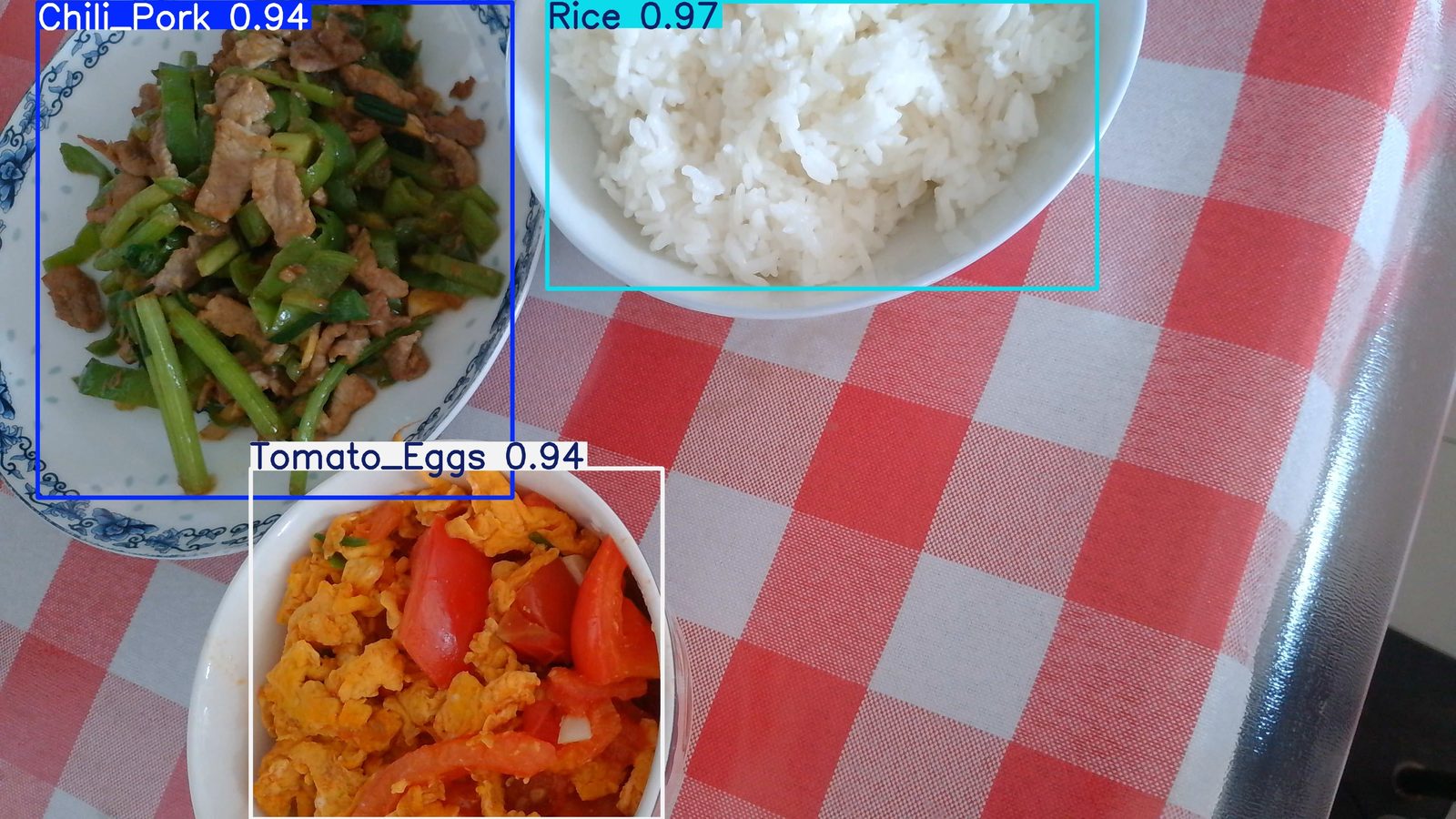
0: 384x640 1 Chili_Pork, 1 Rice, 1 Tomato_Eggs, 59.3ms
Speed: 6.8ms preprocess, 59.3ms inference, 1.7ms postprocess per image at shape (1, 3, 384, 640)
输出结果是:
6. 转换RKNN模型
参考Rockchip官方转换python程序, clone仓库rknn_model_zoo.
6.1 配置量化数据
在rknn_mode_zoo里创建一个demo目录, 拷贝20张验证数据集到rknn_model_zoo/datasets/demo/subset, 如下:
(yolo11) linx@ubuntu2004:/home/linx/rknn/github/rknn_model_zoo/datasets/demo$ tree
.
├── demo_subset_20.txt
└── subset
    ├── 001.jpg
    ├── 002.jpg
    ├── 003.jpg
    ├── 004.jpg
    ├── 005.jpg
    ├── 006.jpg
    ├── 007.jpg
    ├── 008.jpg
    ├── 009.jpg
    ├── 010.jpg
    ├── 011.jpg
    ├── 012.jpg
    ├── 013.jpg
    ├── 014.jpg
    ├── 015.jpg
    ├── 016.jpg
    ├── 017.jpg
    ├── 018.jpg
    ├── 019.jpg
    ├── 020.jpg
(yolo11) linx@ubuntu2004:/home/linx/rknn/github/rknn_model_zoo/datasets/demo$ cat demo_subset_20.txt
./subset/001.jpg
./subset/002.jpg
./subset/003.jpg
./subset/004.jpg
./subset/005.jpg
./subset/006.jpg
./subset/007.jpg
./subset/008.jpg
./subset/009.jpg
./subset/010.jpg
./subset/011.jpg
./subset/012.jpg
./subset/013.jpg
./subset/014.jpg
./subset/015.jpg
./subset/016.jpg
./subset/017.jpg
./subset/018.jpg
./subset/019.jpg
./subset/020.jpg
6.2 ONNX转换成RKNN
在Rockchip官方的Yolo11转换python代码, 更改如下:
linx@ubuntu2004:/home/linx/rknn/github/rknn_model_zoo/examples/yolo11$ git diff python/convert.py
diff --git a/examples/yolo11/python/convert.py b/examples/yolo11/python/convert.py
index 75c7238..6b7a49b 100644
--- a/examples/yolo11/python/convert.py
+++ b/examples/yolo11/python/convert.py
@@ -1,8 +1,11 @@
 import sys
 from rknn.api import RKNN

-DATASET_PATH = '../../../datasets/COCO/coco_subset_20.txt'
-DEFAULT_RKNN_PATH = '../model/yolo11.rknn'
+DATASET_PATH = '../../../datasets/demo/demo_subset_20.txt'
+DEFAULT_RKNN_PATH = '../model/demo_yolo11n.rknn'
 DEFAULT_QUANT = True

 def parse_arg():
最后, 把转换成ONNX模型文件, 拷贝到rknn_model_zoo/examples/yolo11/model, 执行转换程序:
linx@ubuntu2004:/home/linx/rknn/github/rknn_model_zoo/examples/yolo11/python$ python3 convert.py ../model/best.onnx rk3576
I rknn-toolkit2 version: 2.3.2
--> Config model
done
--> Loading model
I Loading : 100%|██████████████████████████████████████████████| 174/174 [00:00<00:00, 52349.82it/s]
done
--> Building model
I OpFusing 0: 100%|█████████████████████████████████████████████| 100/100 [00:00<00:00, 1040.61it/s]
I OpFusing 1 : 100%|█████████████████████████████████████████████| 100/100 [00:00<00:00, 481.29it/s]
I OpFusing 0 : 100%|█████████████████████████████████████████████| 100/100 [00:00<00:00, 223.36it/s]
I OpFusing 1 : 100%|█████████████████████████████████████████████| 100/100 [00:00<00:00, 211.91it/s]
I OpFusing 2 : 100%|█████████████████████████████████████████████| 100/100 [00:00<00:00, 121.09it/s]
W build: found outlier value, this may affect quantization accuracy
                        const name                          abs_mean    abs_std     outlier value
                        model.0.conv.weight                 3.36        3.63        -25.479
                        model.23.cv3.0.0.0.conv.weight      0.30        0.39        -14.504
I GraphPreparing : 100%|███████████████████████████████████████| 223/223 [00:00<00:00, 13721.15it/s]
I Quantizating : 100%|████████████████████████████████████████████| 223/223 [00:05<00:00, 40.08it/s]
W build: The default input dtype of 'images' is changed from 'float32' to 'int8' in rknn model for performance!
                       Please take care of this change when deploy rknn model with Runtime API!
W build: The default output dtype of '462' is changed from 'float32' to 'int8' in rknn model for performance!
                      Please take care of this change when deploy rknn model with Runtime API!
W build: The default output dtype of 'onnx::ReduceSum_476' is changed from 'float32' to 'int8' in rknn model for performance!
                      Please take care of this change when deploy rknn model with Runtime API!
W build: The default output dtype of '480' is changed from 'float32' to 'int8' in rknn model for performance!
                      Please take care of this change when deploy rknn model with Runtime API!
W build: The default output dtype of '487' is changed from 'float32' to 'int8' in rknn model for performance!
                      Please take care of this change when deploy rknn model with Runtime API!
W build: The default output dtype of 'onnx::ReduceSum_501' is changed from 'float32' to 'int8' in rknn model for performance!
                      Please take care of this change when deploy rknn model with Runtime API!
W build: The default output dtype of '505' is changed from 'float32' to 'int8' in rknn model for performance!
                      Please take care of this change when deploy rknn model with Runtime API!
W build: The default output dtype of '512' is changed from 'float32' to 'int8' in rknn model for performance!
                      Please take care of this change when deploy rknn model with Runtime API!
W build: The default output dtype of 'onnx::ReduceSum_526' is changed from 'float32' to 'int8' in rknn model for performance!
                      Please take care of this change when deploy rknn model with Runtime API!
W build: The default output dtype of '530' is changed from 'float32' to 'int8' in rknn model for performance!
                      Please take care of this change when deploy rknn model with Runtime API!
I rknn building ...
I rknn building done.
done
--> Export rknn model
done
成功转换后的RKNN文件:
linx@ubuntu2004:/home/linx/rknn/github/rknn_model_zoo/examples/yolo11/model$ ls demo_yolo11n.rknn -l
-rw-rw-r-- 1 linx linx 7218888 Nov 28 17:54 demo_yolo11n.rknn
7. 部署RKNN到RK3576
在rk3576板子上面clone仓库rknn_model_zoo, 参考Yolo11 Demo里编译方法,
修改postprocess.h, 如下:
diff --git a/examples/yolo11/cpp/postprocess.h b/examples/yolo11/cpp/postprocess.h
index 9eb7628..92de1ff 100644
--- a/examples/yolo11/cpp/postprocess.h
+++ b/examples/yolo11/cpp/postprocess.h
@@ -9,7 +9,7 @@

 #define OBJ_NAME_MAX_SIZE 64
 #define OBJ_NUMB_MAX_SIZE 128
-#define OBJ_CLASS_NUM 80
+#define OBJ_CLASS_NUM 3
 #define NMS_THRESH 0.45
 #define BOX_THRESH 0.25
替换rknn_model_zoo/examples/yolo11/model/coco_80_labels_list.txt, 如下:
neardi@LB3576:~/rknn_model_zoo/install/rk3576_linux_aarch64/rknn_yolo11_demo/model$ cat coco_80_labels_list.txt
Chili_Pork
Rice
Tomato_Eggs
编译并执行推理程序:
neardi@LB3576:~/rknn_model_zoo/install/rk3576_linux_aarch64/rknn_yolo11_demo$ ./rknn_yolo11_demo ./model/demo_yolo11n.rknn /home/neardi/rknn_model_zoo/val/WIN_20251115_12_18_42_Pro.jpg
load lable ./model/coco_80_labels_list.txt
model input num: 1, output num: 9
input tensors:
  index=0, name=images, n_dims=4, dims=[1, 640, 640, 3], n_elems=1228800, size=1228800, fmt=NHWC, type=INT8, qnt_type=AFFINE, zp=-128, scale=0.003922
output tensors:
  index=0, name=462, n_dims=4, dims=[1, 64, 80, 80], n_elems=409600, size=409600, fmt=NCHW, type=INT8, qnt_type=AFFINE, zp=-40, scale=0.118928
  index=1, name=onnx::ReduceSum_476, n_dims=4, dims=[1, 3, 80, 80], n_elems=19200, size=19200, fmt=NCHW, type=INT8, qnt_type=AFFINE, zp=-128, scale=0.001961
  index=2, name=480, n_dims=4, dims=[1, 1, 80, 80], n_elems=6400, size=6400, fmt=NCHW, type=INT8, qnt_type=AFFINE, zp=-128, scale=0.000001
  index=3, name=487, n_dims=4, dims=[1, 64, 40, 40], n_elems=102400, size=102400, fmt=NCHW, type=INT8, qnt_type=AFFINE, zp=-41, scale=0.070264
  index=4, name=onnx::ReduceSum_501, n_dims=4, dims=[1, 3, 40, 40], n_elems=4800, size=4800, fmt=NCHW, type=INT8, qnt_type=AFFINE, zp=-128, scale=0.001961
  index=5, name=505, n_dims=4, dims=[1, 1, 40, 40], n_elems=1600, size=1600, fmt=NCHW, type=INT8, qnt_type=AFFINE, zp=-128, scale=0.001495
  index=6, name=512, n_dims=4, dims=[1, 64, 20, 20], n_elems=25600, size=25600, fmt=NCHW, type=INT8, qnt_type=AFFINE, zp=-13, scale=0.084106
  index=7, name=onnx::ReduceSum_526, n_dims=4, dims=[1, 3, 20, 20], n_elems=1200, size=1200, fmt=NCHW, type=INT8, qnt_type=AFFINE, zp=-128, scale=0.003833
  index=8, name=530, n_dims=4, dims=[1, 1, 20, 20], n_elems=400, size=400, fmt=NCHW, type=INT8, qnt_type=AFFINE, zp=-128, scale=0.003836
model is NHWC input fmt
model input height=640, width=640, channel=3
origin size=3840x2160 crop size=3840x2160
input image: 3840 x 2160, subsampling: 4:2:0, colorspace: YCbCr, orientation: 1
scale=0.166667 dst_box=(0 140 639 499) allow_slight_change=1 _left_offset=0 _top_offset=140 padding_w=0 padding_h=280
fill dst image (x y w h)=(0 0 640 640) with color=0x72727272
rga_api version 1.10.1_[0]
rknn_run
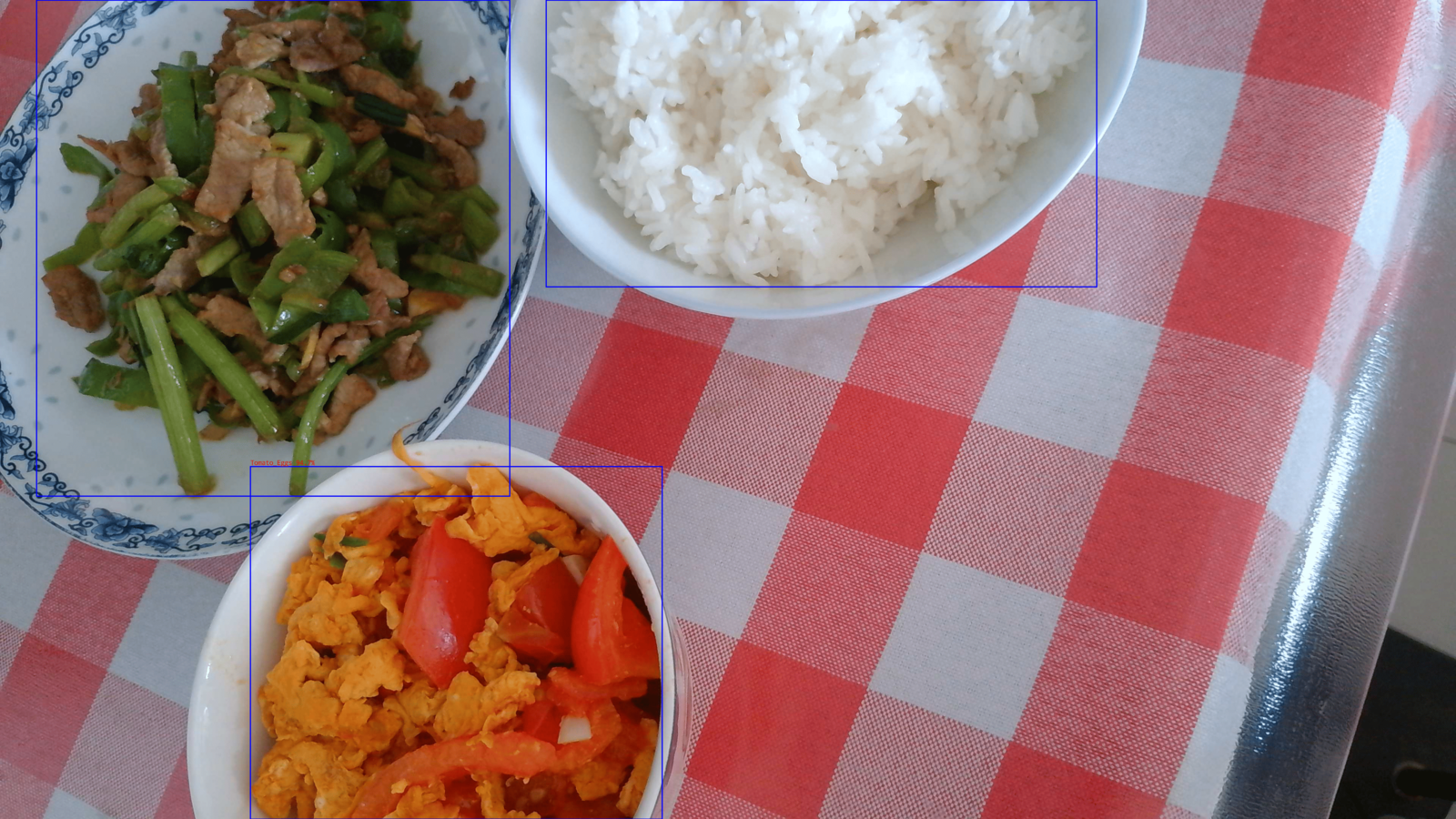
Rice @ (1440 0 2892 756) 0.958
Tomato_Eggs @ (660 1230 1746 2160) 0.947
Chili_Pork @ (96 0 1344 1308) 0.947
write_image path: out.png width=3840 height=2160 channel=3 data=0x7fa3c7b010
输出结果如下:
8. 摄像头实时检测
8.1 实时监测程序
参考neardi camera demo编写一个c++程序, 在Neardi PI3板子上面, 从摄像头读取视频流做实时检测, 效果如下:
[
您的浏览器不支持 video 标签。
](/videos/food.mp4)
8.2 数据补充
从实时检测效果看, 还需要补充一些采样数据, 比如多角度照片, 遮挡照片, 斜视照片等, 这样检测效果会更好。