图像添加矩形
图像添加矩形1、实现原理2、实现效果3、实现代码
1、实现原理
使用cv2.rectangle() 函数在图像上绘制矩形。
2、实现效果
x cd ~/opencv x python3 12.image_draw_rectangle.py
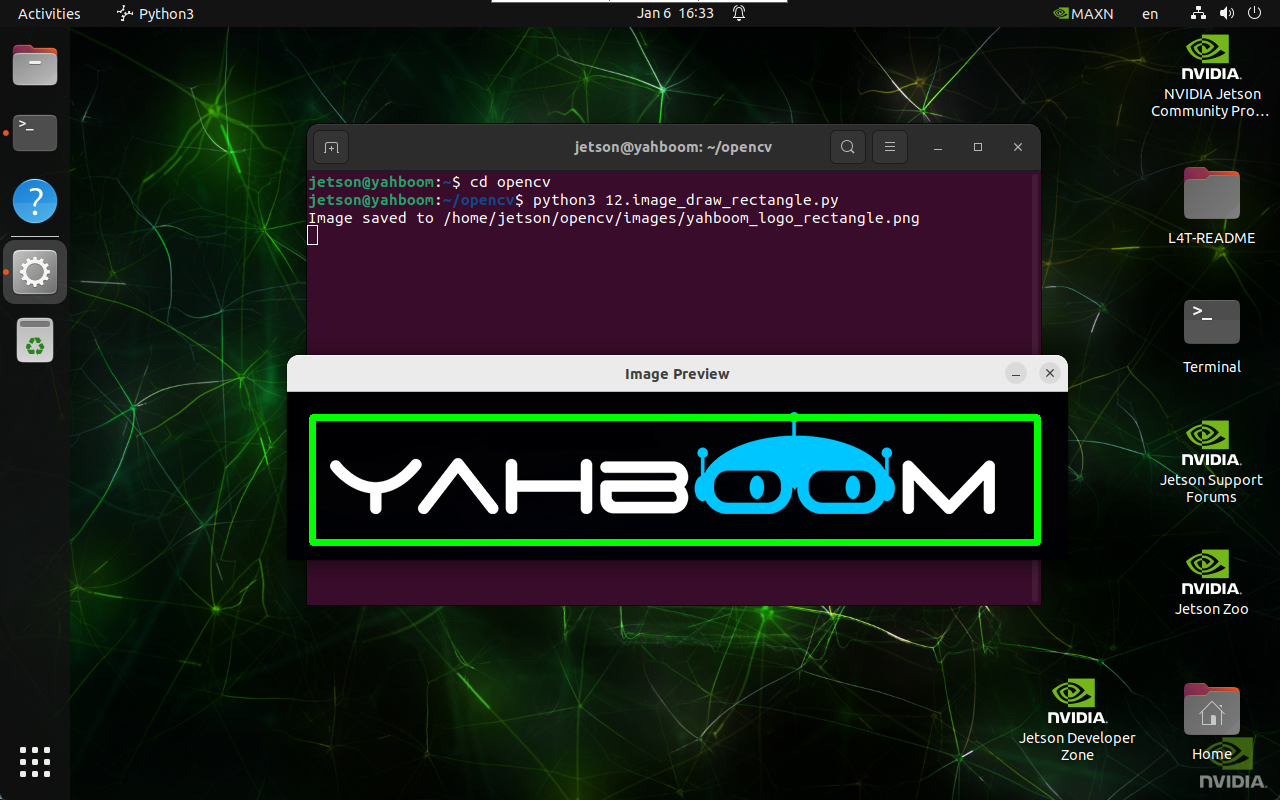
3、实现代码
x import cv2 def draw_rectangle(input_path, output_path, top_left, bottom_right, color, thickness): image = cv2.imread(input_path) if image is None: print("Error: Unable to open image file.") return cv2.rectangle(image, top_left, bottom_right, color, thickness) if cv2.imwrite(output_path, image): print(f"Image saved to {output_path}") cv2.imshow('Image Preview', cv2.imread(output_path)) cv2.waitKey(0) cv2.destroyAllWindows() else: print("Error: Unable to save image file.") draw_rectangle('/home/jetson/opencv/images/yahboom_logo.png', \ '/home/jetson/opencv/images/yahboom_logo_rectangle.png', \ (25, 25), (750, 150), (0, 255, 0), 5)