摄像头校准(USB)
摄像头校准(USB)1、启动相机2、图像标定2.1、标定板2.2、查看话题2.3、图像标定2.3.1、安装图像标定工具2.3.2、启动图像标定工具2.3.3、标定过程2.3.4、标定结果
1、启动相机
x cd ~/yahboom_ws x source install/setup.bash x ros2 run camera camera_usb
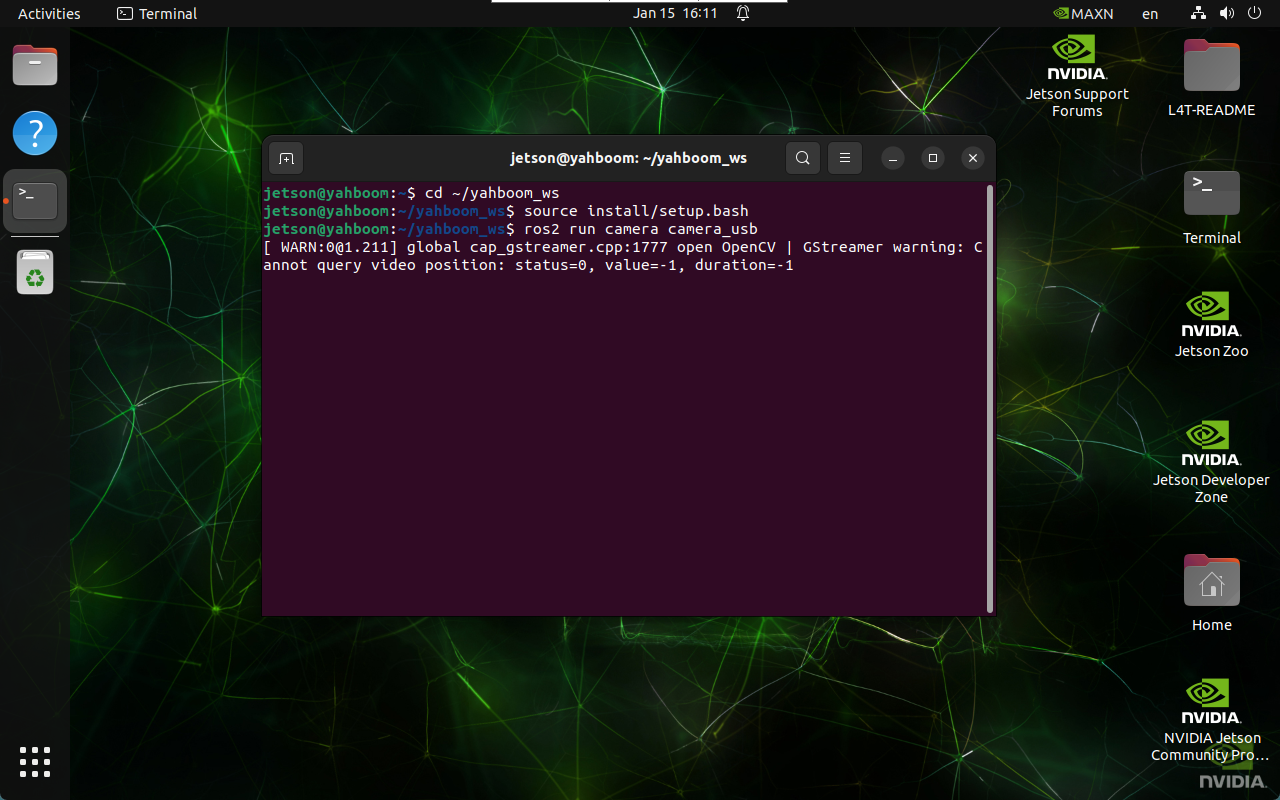
2、图像标定
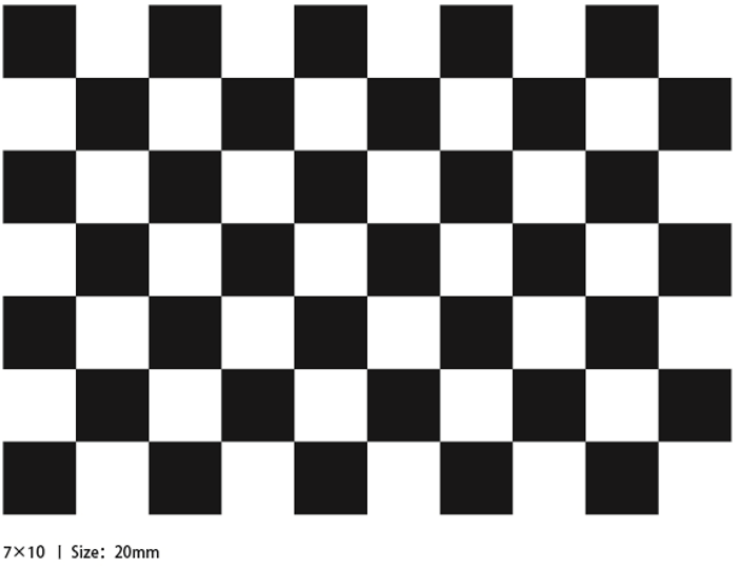
2.1、标定板
2.2、查看话题
x ros2 topic list
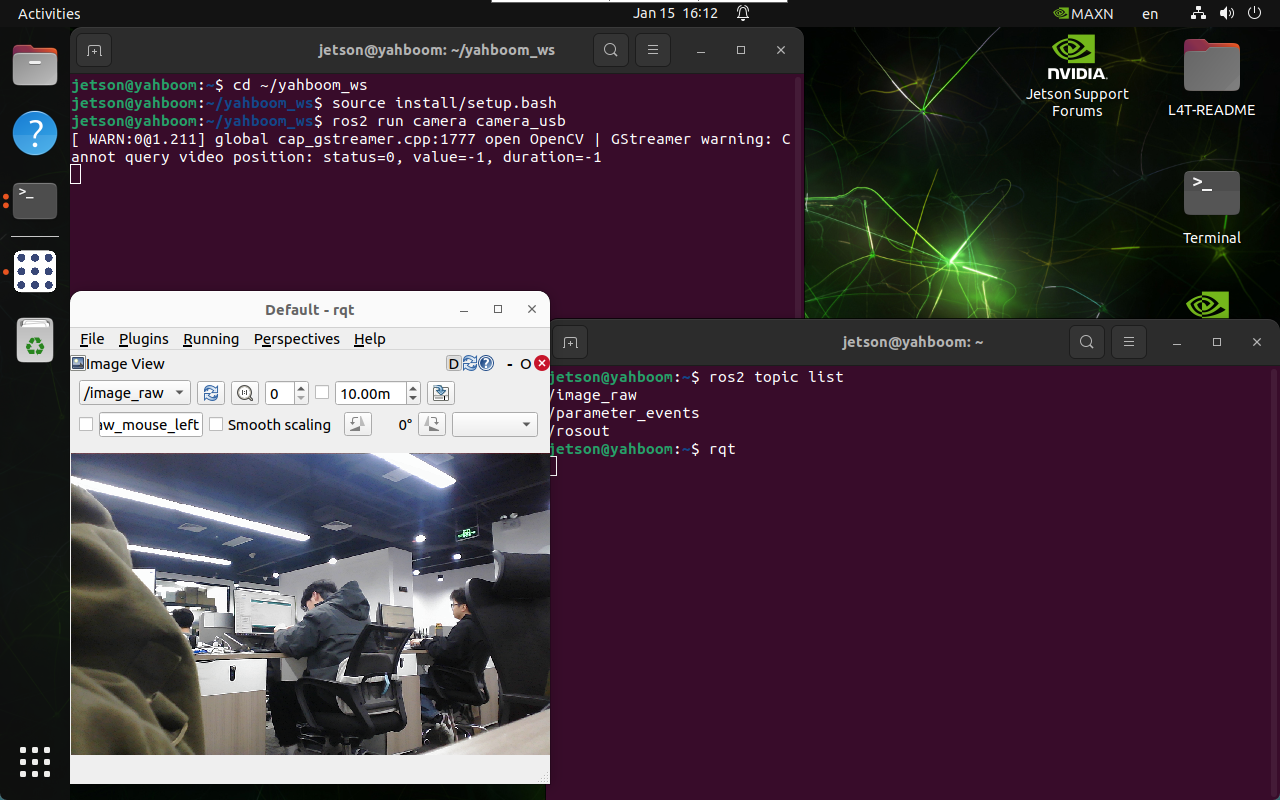
2.3、图像标定
2.3.1、安装图像标定工具
xxxxxxxxxx sudo apt update sudo apt install ros-humble-image-pipeline -y
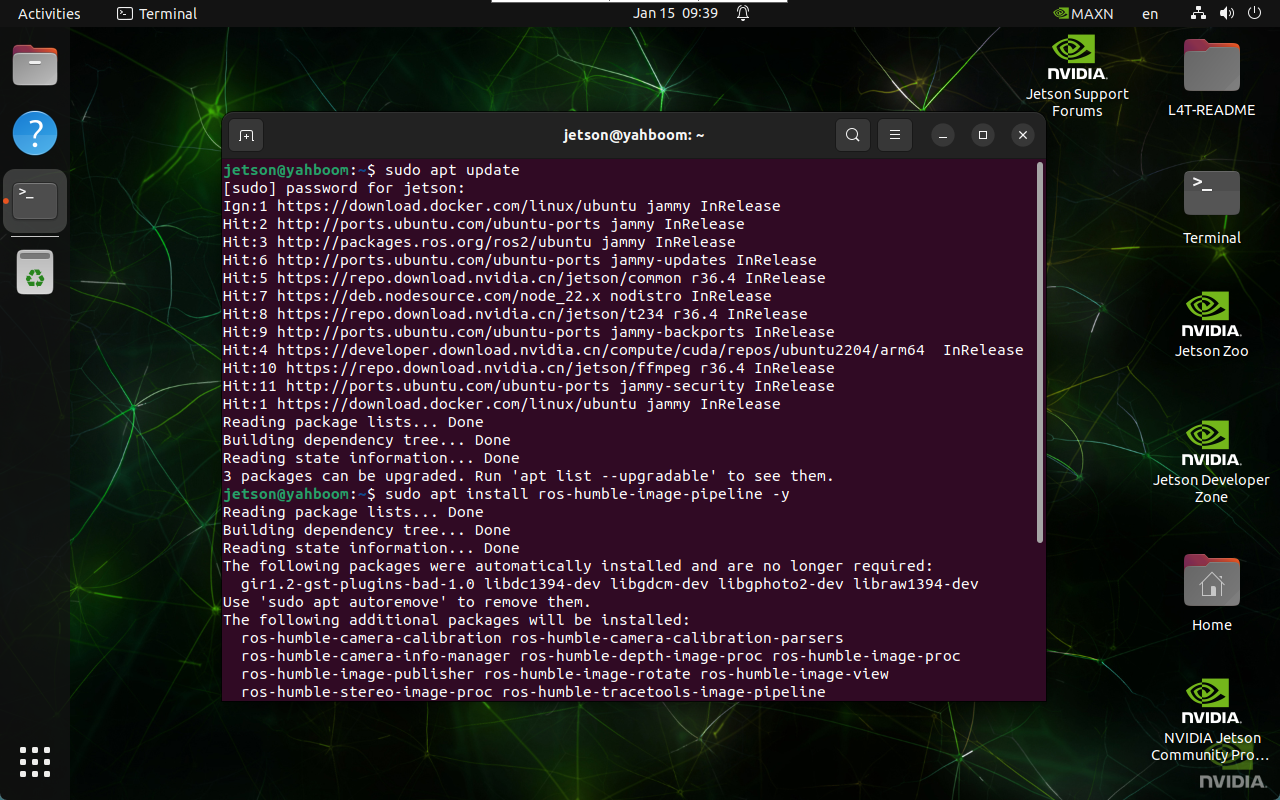
2.3.2、启动图像标定工具
启动ROS2的相机标定工具camera_calibration,并进行相机标定:标定前需要先启动摄像头
x ros2 run camera_calibration cameracalibrator --size 9x6 --square 0.02 --ros-args --remap /image:=/image_raw
参数说明
--size:棋盘格的内角点数 → 9行6列的内角点
--square:棋盘格的边长 → 0.02米
--ros-args:传递ROS参数
--remap:话题重映射 → /image_raw作为图像输入流
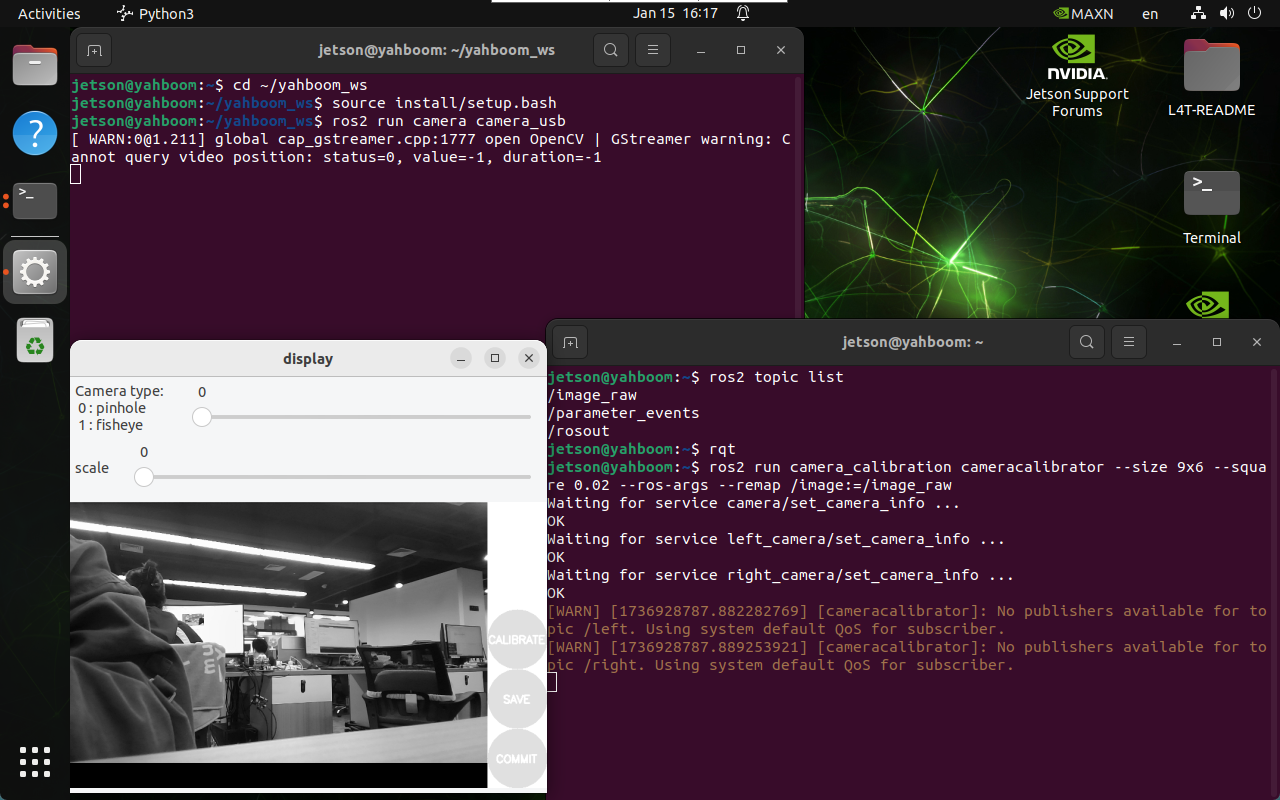
2.3.3、标定过程
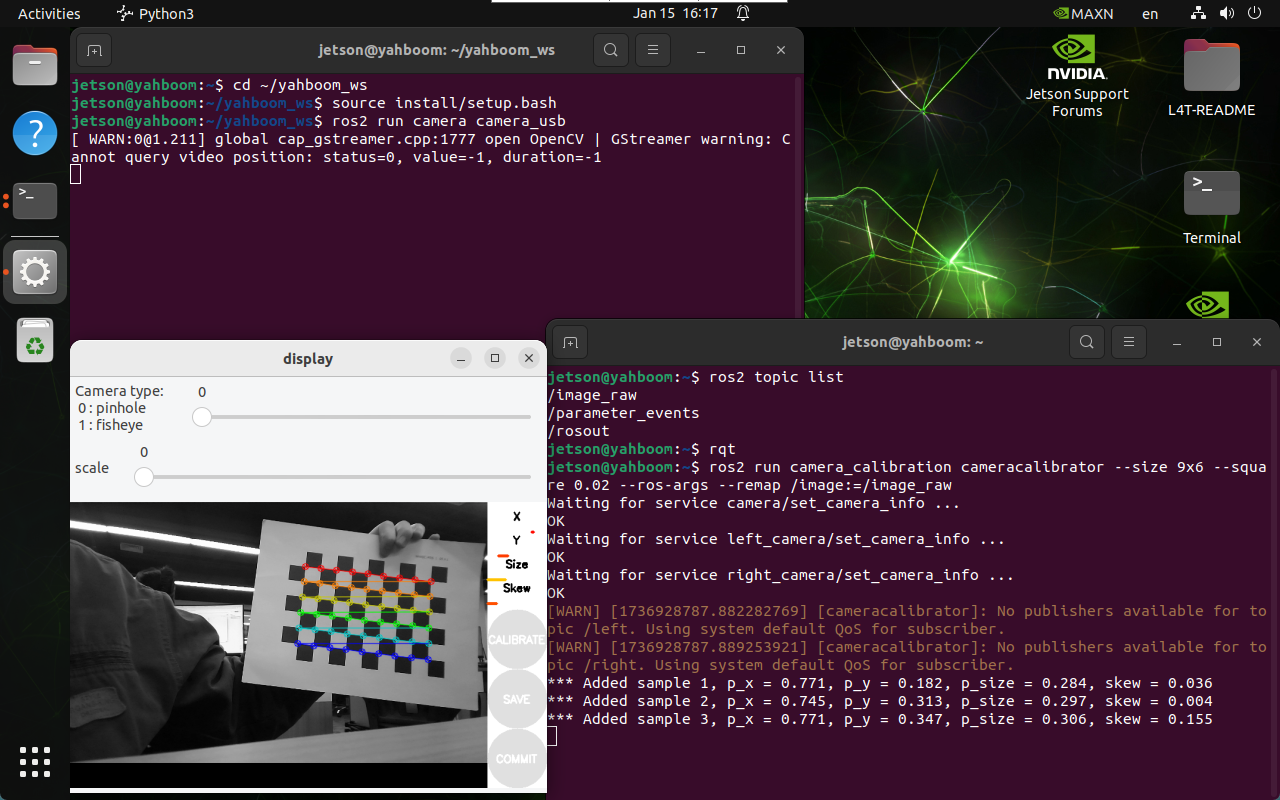
参数说明
X:棋盘格在摄像头视野左右移动
Y:棋盘格在摄像头视野上下移动
Size:棋盘格在摄像头视野中的前后移动
Skew:棋盘格在摄像头视野中的倾斜转动
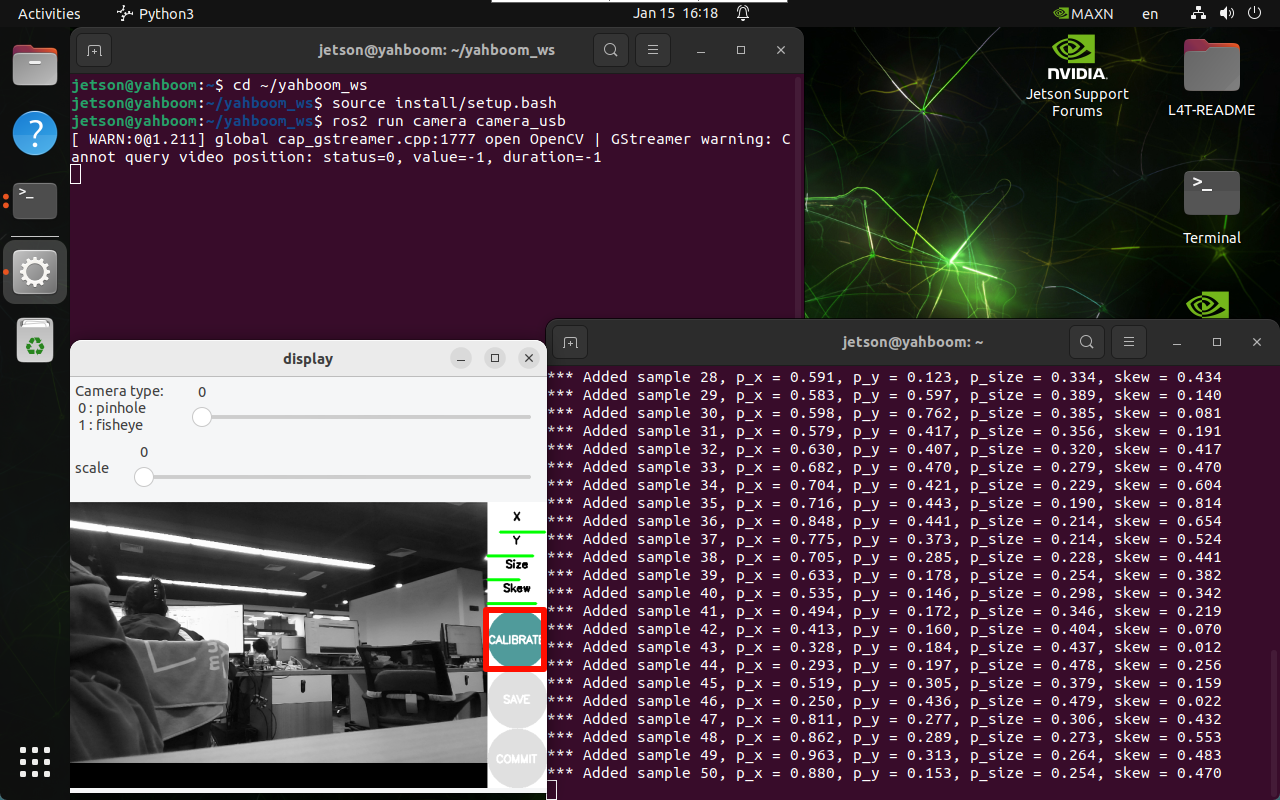
当X、Y、Size、Skew变成绿色,可以点击CALIBRATE计算相机内参:标定的图片越多,时间越久,有可能程序卡死
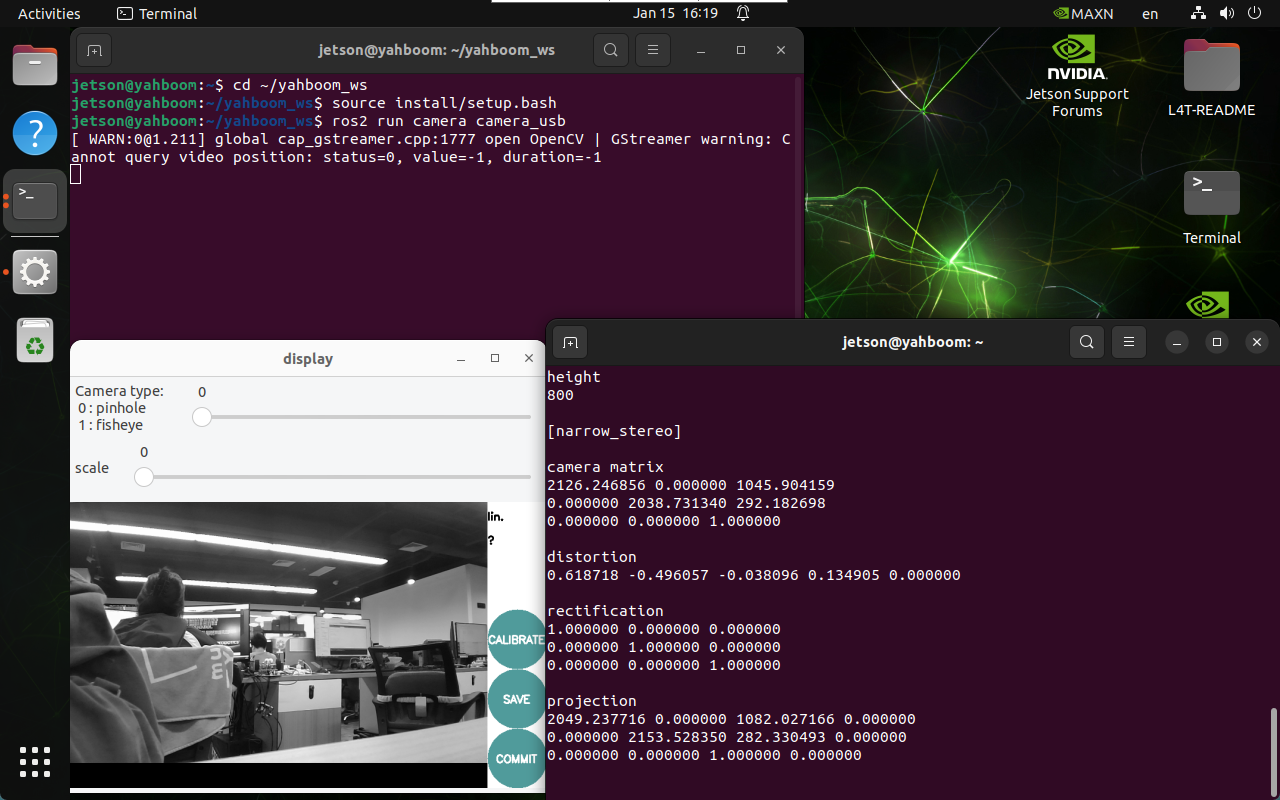
标定结束后,点击SAVE保存结果!
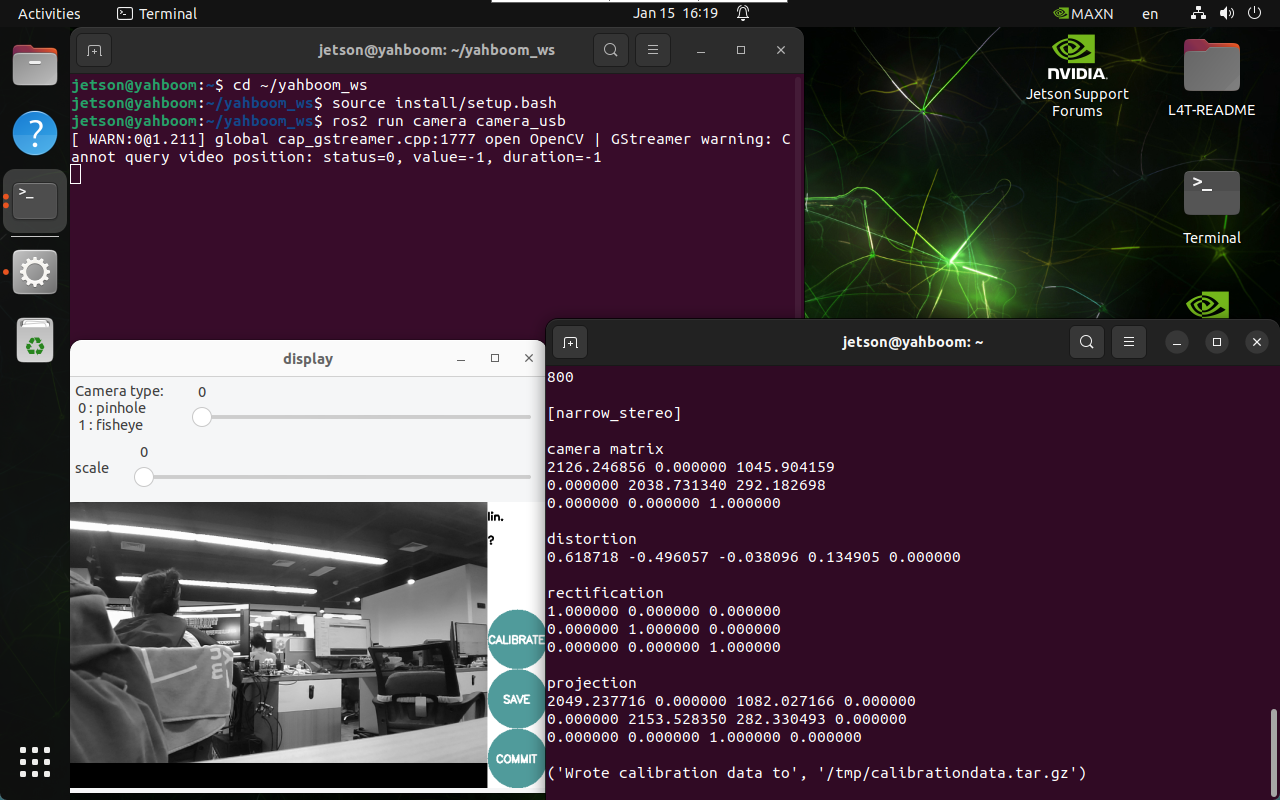
保存成功后关闭程序!
2.3.4、标定结果
标定结果默认保存位置及文件名称:
xxxxxxxxxx /tmp/calibrationdata.tar.gz
复制并解压标定结果:
x sudo mv /tmp/calibrationdata.tar.gz ~ mkdir calibrationdata tar -xzvf calibrationdata.tar.gz -C ~/calibrationdata
解压的文件包含标定的*.png、ost.yaml以及ost.txt文件,我们主要复制ost.yaml文件内的数据到camera_usb.yaml文件。
ost.yaml
将画面image_width、image_height、camera_matrix内的data、projection_matrix内的data、以及distortion_coefficients内的data替代掉camera_usb.yaml文件数据
x image_width: 1280 image_height: 800 camera_name: narrow_stereo camera_matrix: rows: 3 cols: 3 data: [2126.24686, 0. , 1045.90416, 0\. , 2038.73134, 292.1827 , 0\. , 0. , 1. ] distortion_model: plumb_bob distortion_coefficients: rows: 1 cols: 5 data: [0.618718, -0.496057, -0.038096, 0.134905, 0.000000] rectification_matrix: rows: 3 cols: 3 data: [1., 0., 0., 0., 1., 0., 0., 0., 1.] projection_matrix: rows: 3 cols: 4 data: [2049.23772, 0. , 1082.02717, 0. , 0\. , 2153.52835, 282.33049, 0. , 0\. , 0. , 1. , 0. ]
camera_csi.yaml
修改后的文件:
x %YAML:1.0 \--- image_width: 1920 image_height: 1080 camera_name: camera camera_matrix: !!opencv-matrix rows: 3 cols: 3 dt: d data: [2126.24686, 0. , 1045.90416, 0\. , 2038.73134, 292.1827 , 0\. , 0. , 1. ] distortion_model: plumb_bob distortion_coefficients: !!opencv-matrix rows: 1 cols: 5 dt: d data: [0.618718, -0.496057, -0.038096, 0.134905, 0.000000] rectification_matrix: rows: 3 cols: 3 data: [1., 0., 0., 0., 1., 0., 0., 0., 1.] projection_matrix: rows: 3 cols: 4 data: [2049.23772, 0. , 1082.02717, 0. , 0\. , 2153.52835, 282.33049, 0. , 0\. , 0. , 1. , 0. ]