Applications and Software Management
This section introduces the commonly preinstalled applications in Bianbu LXQt and explains how to manage software using the APT package manager.
Common Applications Overview
| Application | Package Name | Icon | Description |
|---|---|---|---|
| Web Browser | chromium-browser-stable |  | Open-source web browser based on Chromium |
| TigerVNC Viewer | tigervnc-viewer |  | VNC remote desktop client |
| LibreOffice | libreoffice |  | LibreOffice launcher (office suite entry point) |
| LibreOffice Calc | libreoffice-calc |  | Spreadsheet editor |
| LibreOffice Draw | libreoffice-draw |  | Vector drawing and flowchart tool |
| LibreOffice Impress | libreoffice-impress |  | Presentation editor |
| LibreOffice Math | libreoffice-math |  | Formula editor |
| LibreOffice Writer | libreoffice-writer |  | Document and word processor |
| Okular | okular |  | Multi-format document viewer (PDF, EPUB, DjVu, etc.) |
| Skanlite | skanlite |  | Lightweight image scanning utility |
| 2048-Qt | 2048-qt |  | Classic 2048 puzzle game (Qt version) |
| Audacious | audacious |  | Lightweight audio player with plugin support |
| Cheese | cheese |  | Webcam photo and video capture tool |
| FeatherPad | featherpad |  | Lightweight plain-text editor with tabs |
| LXImage-Qt | lximage-qt |  | Default LXQt image viewer |
| mpv | mpv |  | High-performance media player with hardware acceleration |
| PulseAudio Volume Control | pavucontrol-qt |  | Audio device and volume management (Qt) |
| Fcitx 5 | fcitx |  | Next-generation input method framework |
| QTerminal | qterminal |  | Lightweight multi-tab terminal emulator |
| Drop-down QTerminal | qterminal | | Quake-style drop-down terminal |
| qps | qps |  | Qt-based process viewer and manager |
| Disks | gnome-disk-utility |  | Disk and partition management utility |
| KCalc | kcalc |  | Scientific calculator |
| LXQt Archiver | lxqt-archiver |  | Archive compression and extraction tool |
| PCManFM-Qt | pcmanfm-qt |  | Default LXQt file manager |
| QtPass | qtpass |  | Password manager based on pass and GPG |
| Vim | vim-common |  | Highly configurable text editor |
| nobleNote | noblenote |  | Lightweight notes and checklist application |
| Keyboard Layout Viewer | fcitx5-config-qt |  | View and switch keyboard layouts |
Package Management with APT
APT (Advanced Package Tool) is the default package manager used by the system. It is widely used in Debian and Debian-based distributions to manage software packages.
APT provides the following core functions:
-
Install software
Download and install packages from official repositories. -
Update the system
Refresh package indexes and upgrade installed packages. -
Remove software
Uninstall packages and clean up unused dependencies. -
Dependency management
Automatically resolves package dependencies and prevents conflicts.
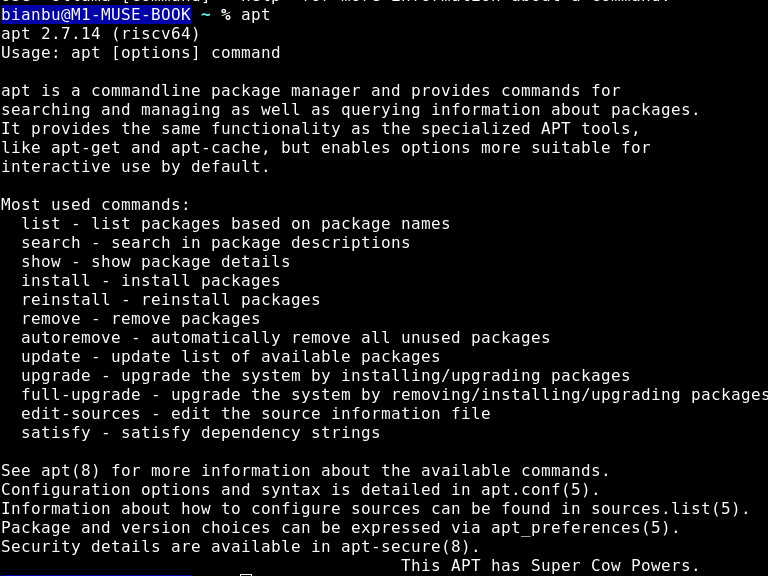
The following image shows the built-in help information for the apt command.
For full command usage and options, refer to the Debian official manual.