Overview
SpacemiT Studio is a web-based workbench for the SpacemiT AI CPU development ecosystem. It integrates image management, system flashing, device management, terminal debugging, cloud compilation, AI development, and application deployment, supporting the complete development workflow from system installation to application deployment.
It provides a unified entry point for RISC-V development, enabling developers to prepare devices, develop software, and deploy applications from a single interface.
Interface Overview
The main interface includes the navigation bar, toolbar, device area, and AI workspace, allowing developers to connect devices, manage systems, and perform debugging tasks in a single window.
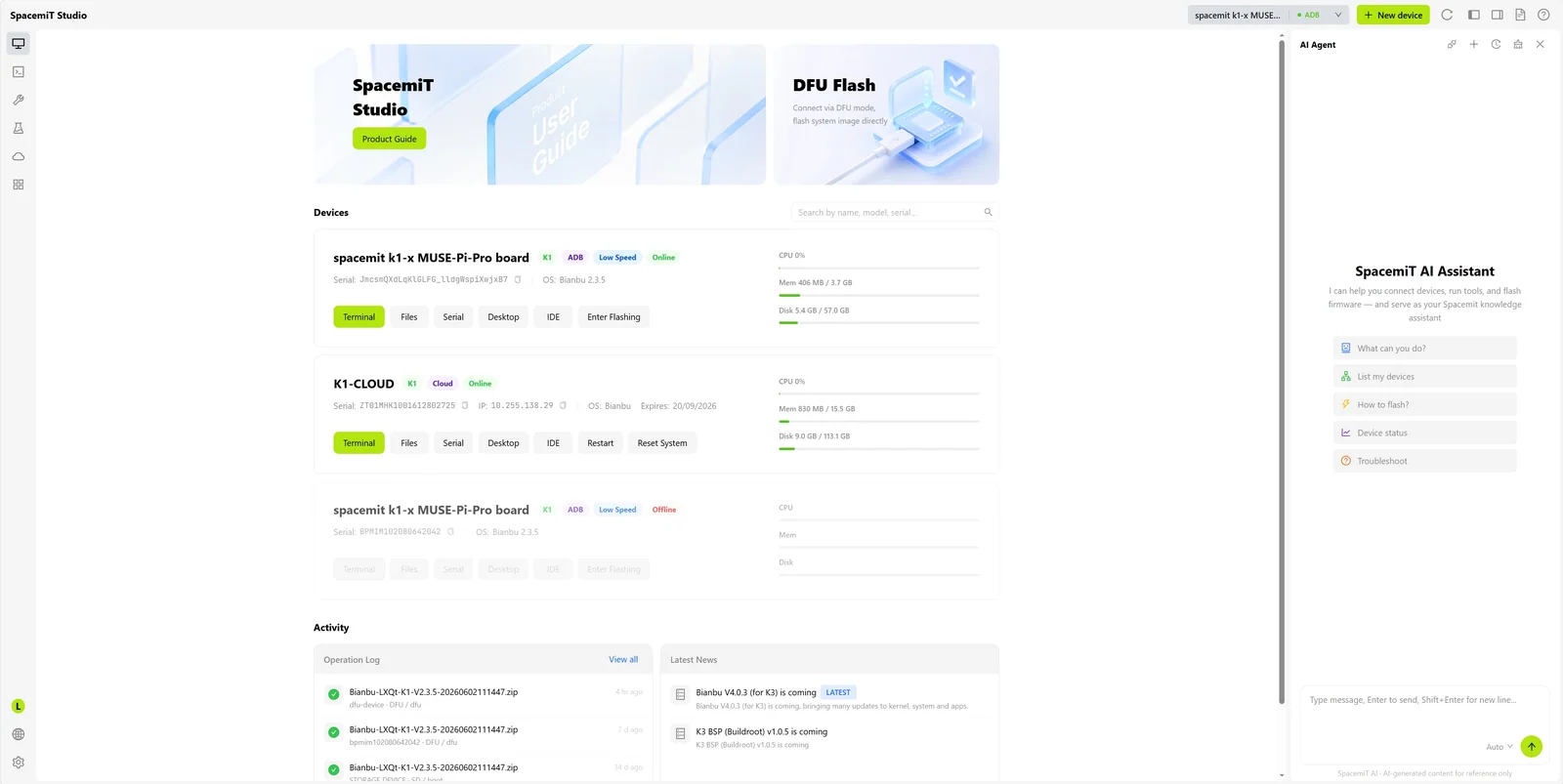
Use Cases
SpacemiT Studio is suitable for the following scenarios:
- System preparation and device initialization: Flash development boards, configure networks, and set up the basic environment.
- Day-to-day development and debugging: Write code, build projects, debug through the terminal, and synchronize files.
- AI application development and deployment: Load and debug AI models, then deploy applications at the edge.
Key Features
Intelligent System Flashing
Supports guided system installation. After a device is connected, the tool can automatically identify the board model and recommend an image version. It also provides image management, one-click flashing, and configuration options for SSH keys, Wi-Fi credentials, hostnames, and user passwords. Mass-production card creation and device serial number programming are also supported.
Integrated Development Workspace
Combines device management, terminal tools, file management, a web IDE, remote desktop, and the application center in a single interface, reducing the need to switch between tools.
Cloud Development Environment
Provides cloud compilation services with support for build systems such as Makefile, CMake, and Meson, helping developers maintain a consistent development experience across operating systems.
AI Development
Integrates an AI development assistant, an RAG knowledge base, and a prebuilt skills library to support AI model deployment and edge application development.
System Requirements
Supports Windows 10+, Ubuntu 20.04+, and macOS 11+. For detailed installation instructions, see Quick Start.