App Center
Overview
App Center supports the browsing, installation, and management of applications and tools for the SpacemiT platform. It is organized into the Online Store and Installed Apps pages.
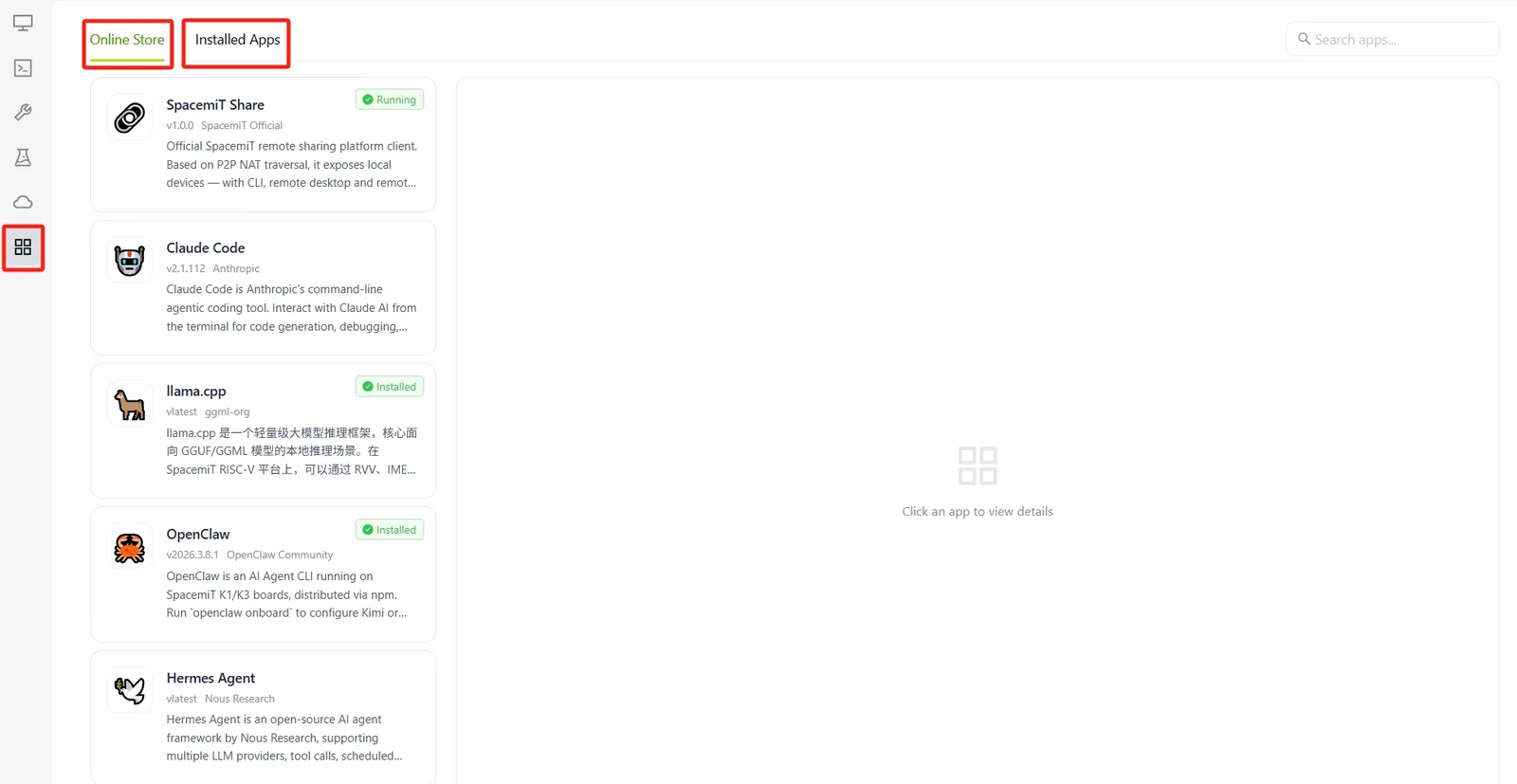
Online Store
The Online Store displays all available applications in the ecosystem.
A search box in the upper-right corner enables apps to be located by name.
Each app card displays the following information:
- App name and version
- Publisher
- Summary
- Installation status, such as Installed or Running
Selecting an app card displays its details in the panel on the right, including:
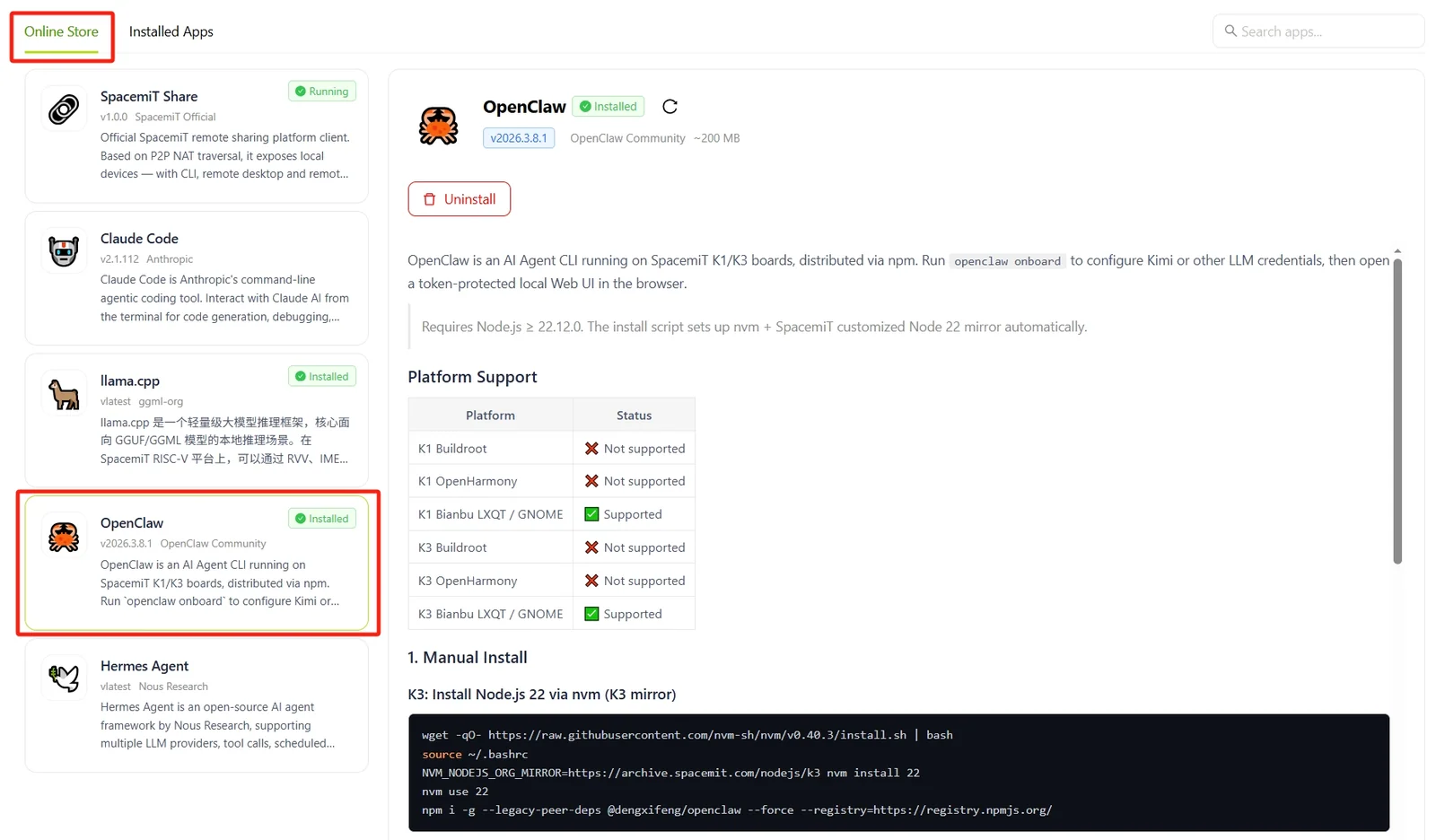
- App icon, name, and current status, such as Running
- Version, publisher, and package size
- Action buttons: Open / Uninstall for installed apps, or Install to device for apps that are not installed
- Complete feature description
- Supported systems and architectures
Installed Apps
The Installed Apps page lists and manages all applications currently installed on the device.
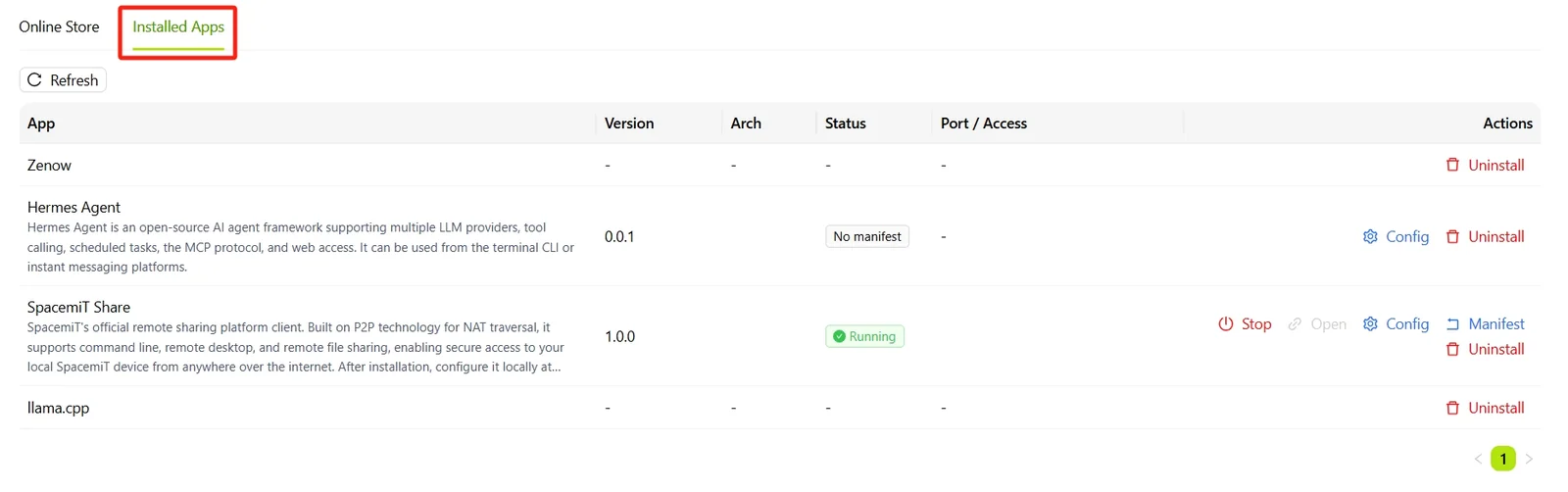
Select Refresh to retrieve the latest status for each app.
The list contains the following columns:
- App: App name and summary
- Version: Currently installed version
- Architecture: Runtime architecture
- Status: Runtime status, such as Running, Installed
- Port / Access: Service listening port or access point
- Actions: Actions available for the app
The available actions for each app depend on its running status:
- Stop: Stop a running app
- Open: Access the app in a browser or window
- Config: Modify the app configuration
- Default: Restore the default configuration
- Uninstall: Remove the app from the device