Development Cases
Note: Additional examples are being added.
Overview
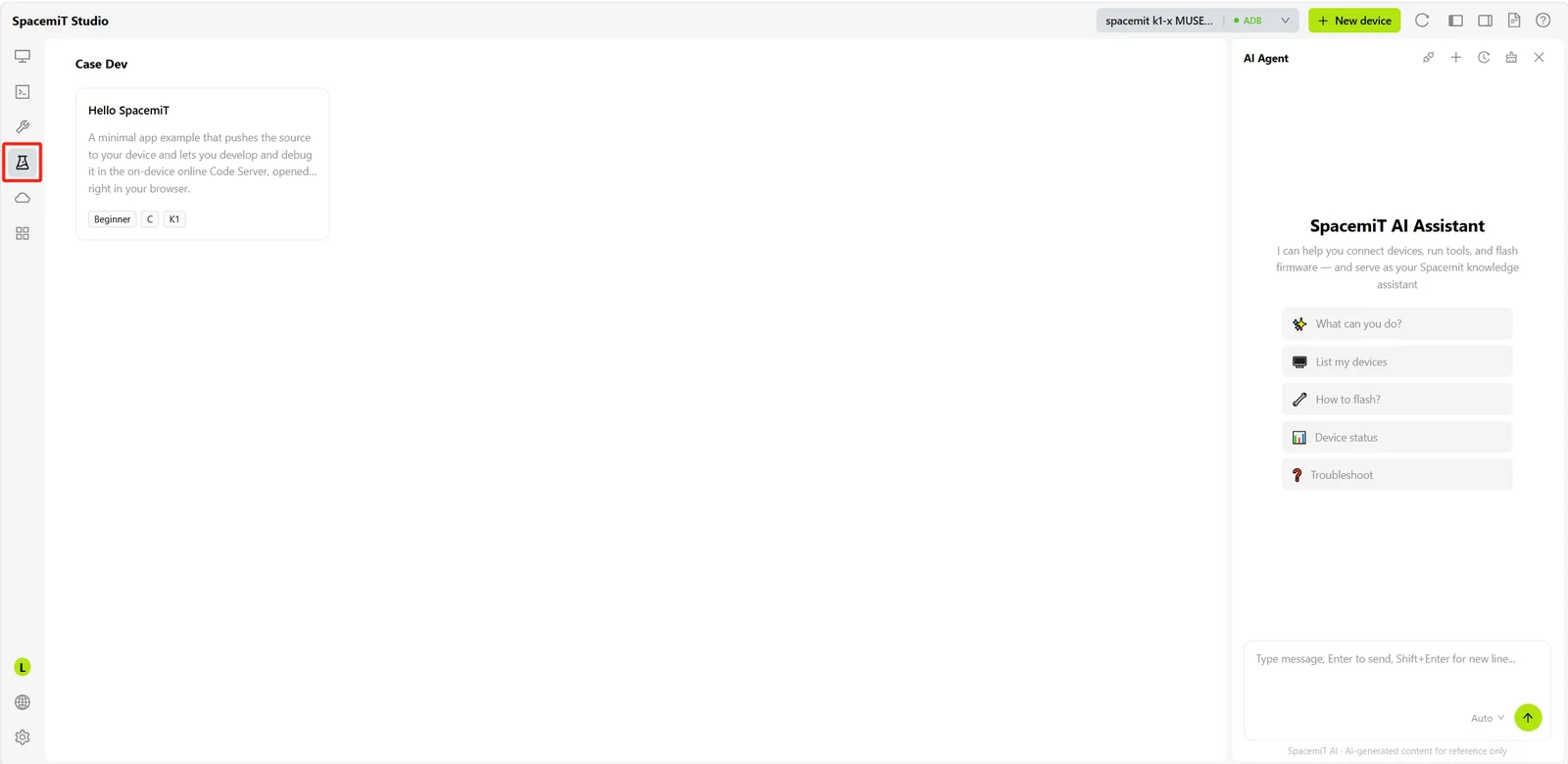
This page provides preconfigured sample projects and application-development references to help developers quickly understand SpacemiT platform capabilities and begin development.
It displays preconfigured example cards, such as Hello SpacemiT. Each card identifies the applicable system type, such as C, and device series, such as K1.
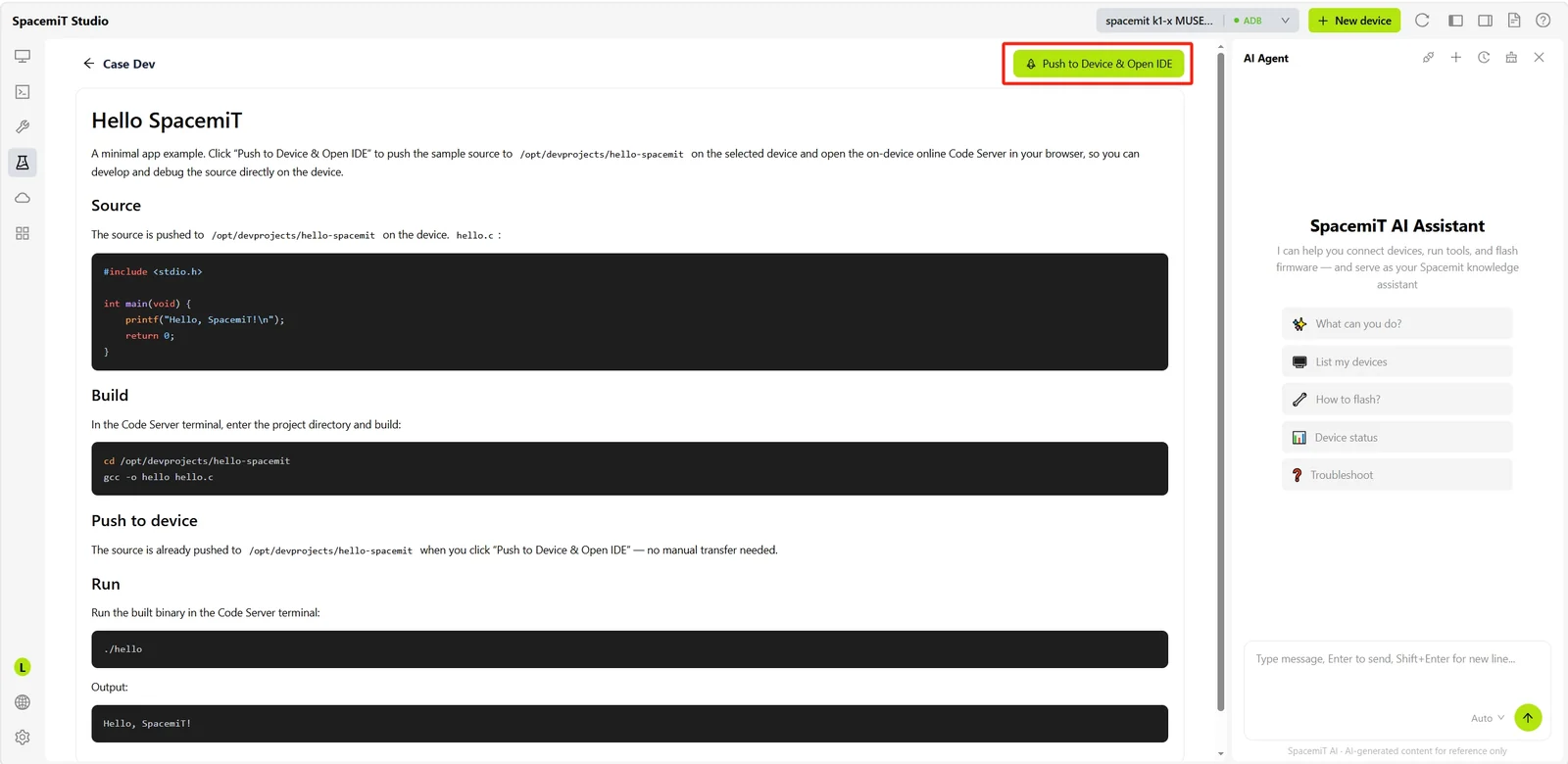
Select a case card to open its details page, which displays the example description, source code, build command, and run command. Select Push to Device & Open IDE in the upper-right corner to push the example source code to the specified directory on the selected device, such as /opt/devprojects/hello-spacemit, and open the Code Server installed on the device in the browser.
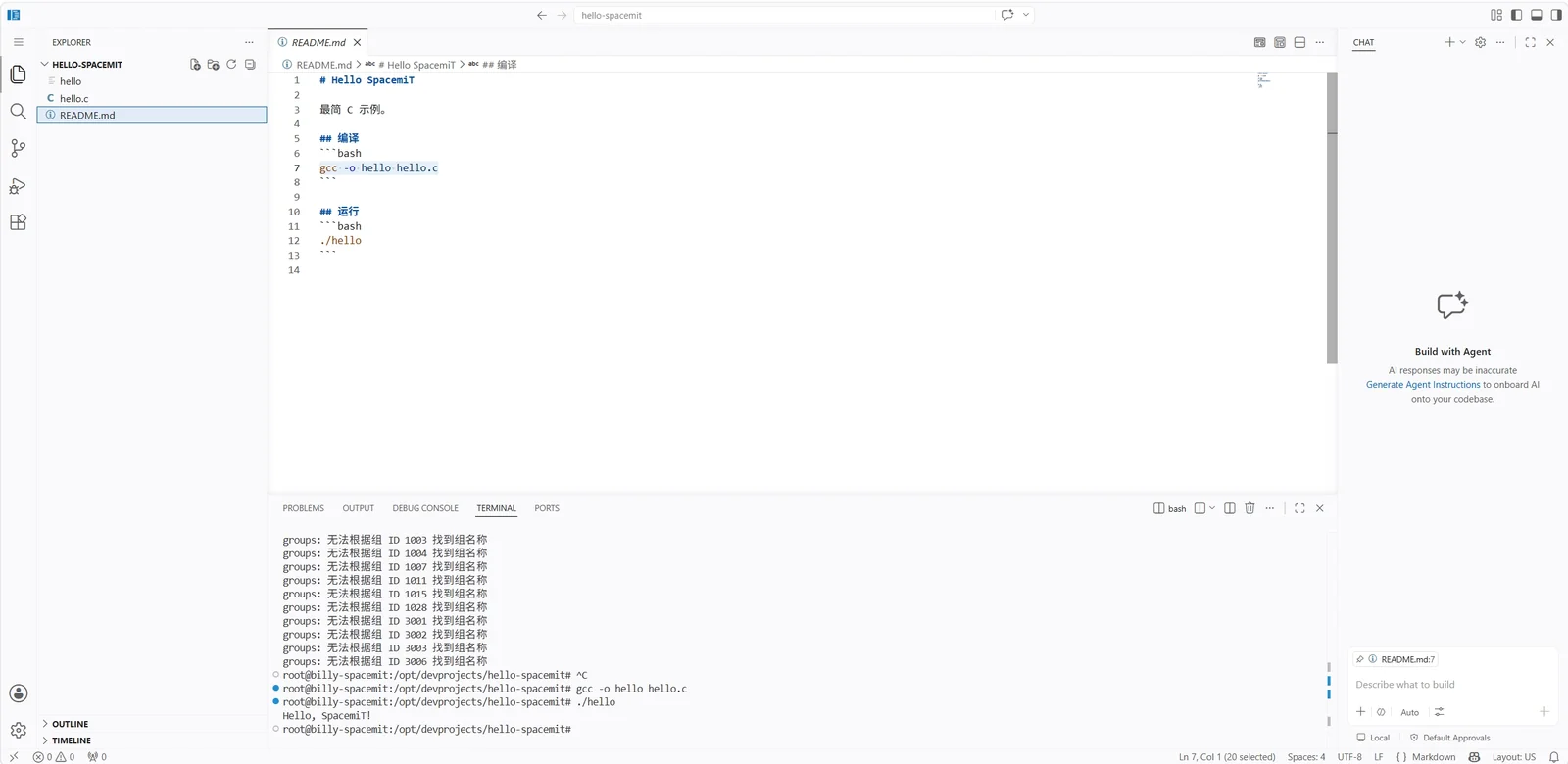
After the source code is pushed, the online IDE opens automatically. The pushed project files, such as hello.c and README.md, are available in the file explorer. Run the build and run commands in the integrated terminal to view output directly on the device, without manually transferring code or configuring an additional development environment.