Terminal
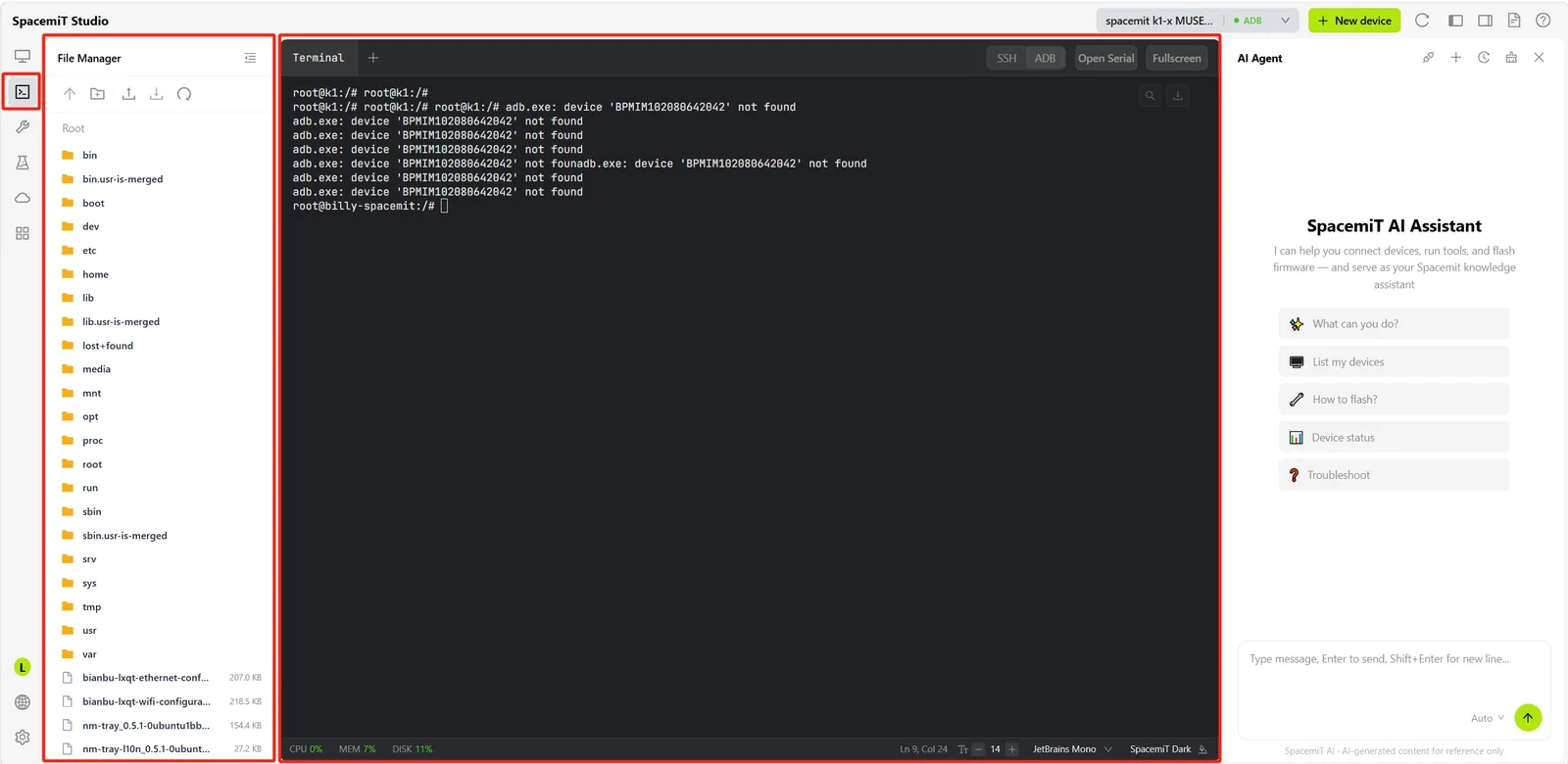
The Terminal panel provides an integrated command-line environment for interacting with devices over SSH or a serial connection, without switching to an external terminal application.
Note: A device must be connected.
File Management
The File Management panel on the left provides access to the device file system.
Toolbar
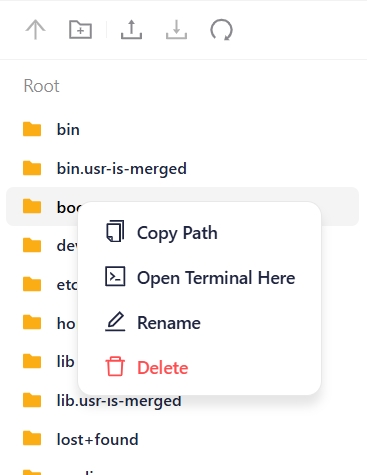
The toolbar at the top of the panel provides common action buttons:
- Refresh: Refreshes the current directory.
- New Folder: Creates a folder in the current directory.
- Upload: Uploads a local file to the current directory.
- Download: Downloads the selected file to the local system.
Context Menu
Right-click a file or directory to open a context menu with the following actions:
- Copy Path: Copies the path of the selected file or folder.
- Open in Terminal: Opens a new terminal session at the selected directory location.
- Rename: Renames the selected file or folder.
- Delete: Deletes the selected file or folder.
Terminal Sessions
The Terminal Sessions area on the right provides a command-line environment with multi-tab support. Each tab corresponds to an independent session.
Toolbar
The terminal toolbar provides the following actions:
-
+: Creates a new terminal tab.
-
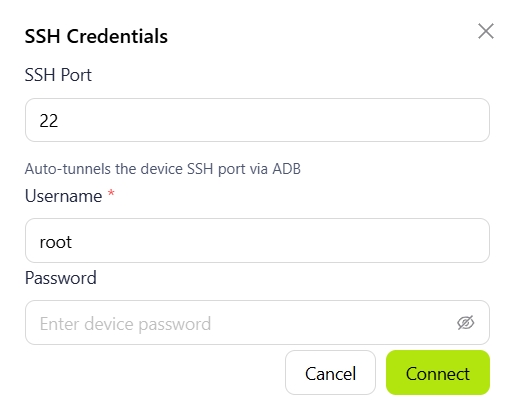
SSH: Connects to the device over SSH and opens a remote terminal. Select this option to open the configuration dialog, then enter the SSH port, username, and password to connect.
-
ADB: Connects to the device through the ADB protocol and opens a debugging shell.
-
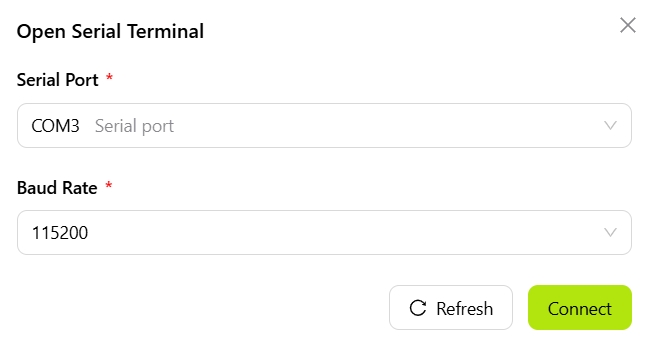
Open Serial: Opens a serial terminal for viewing boot logs and performing low-level debugging. Select this option to open the configuration dialog, choose a serial device, configure the baud rate and other parameters, then connect.
-
Split Right: Splits the terminal area to create a new independent panel to the right of the current terminal.
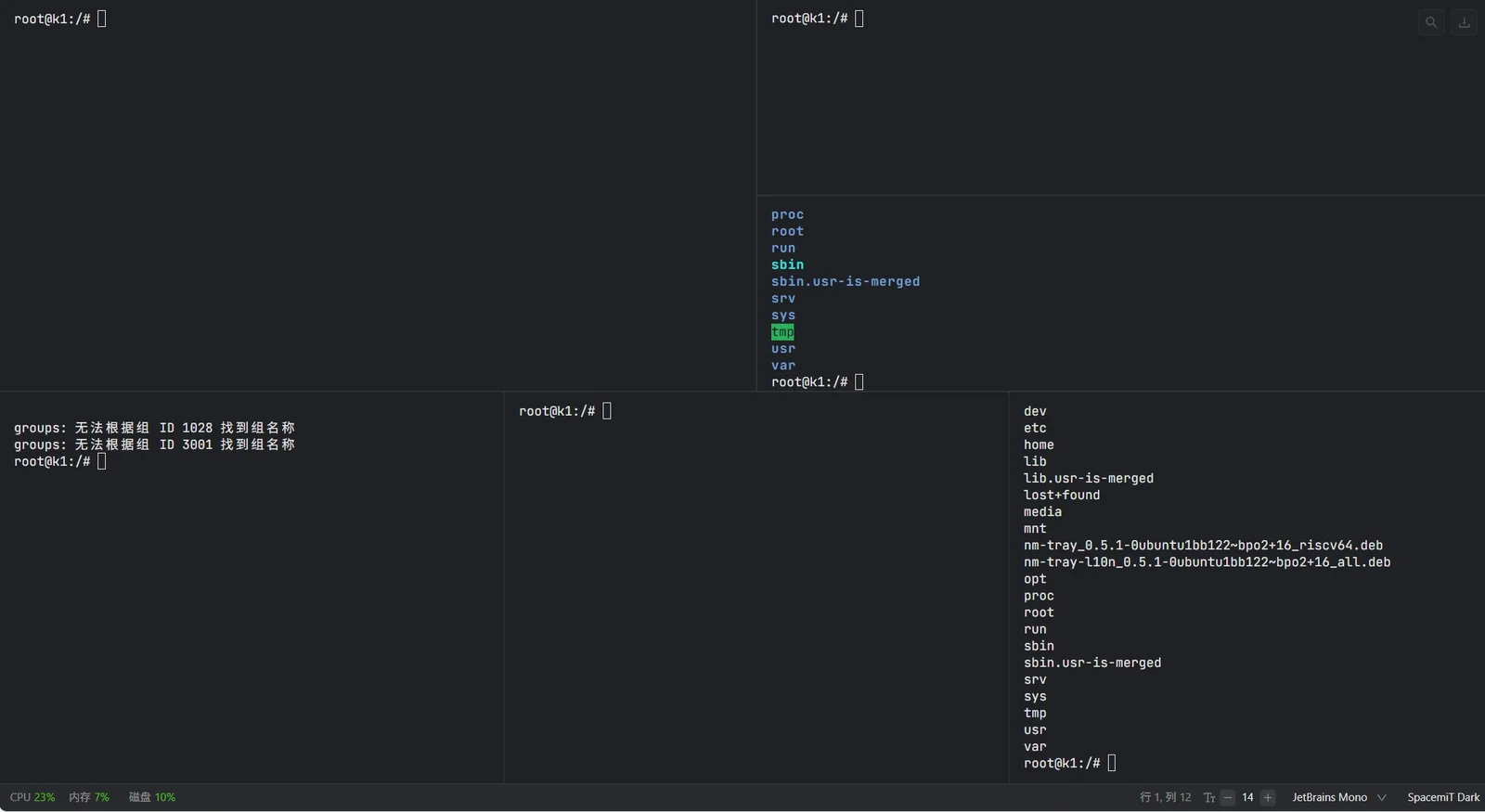
-
Split Down: Splits the terminal area to create a new independent panel below the current terminal.
Split screen limits: Maximum of 5 panels in a single direction (horizontal or vertical) and 16 panels total.
-
Full Screen: Switches the terminal area to full-screen mode.